


At the moment, getting Meta catalog product videos live is no longer the difficult part. Meta has made the format much easier to launch, distribute, and connect to an existing product catalog, which means most ecommerce teams can get campaigns up and running without much friction.
The problem usually starts once those campaigns begin to scale. A product video may look strong when it is built for one SKU, but that same approach often breaks down when it is stretched across an entire catalog.
That gap matters more than it used to. Meta is very good at distributing catalog creative, but distribution is not the same as precision. Research has found that Meta’s Conversions API can match users at rates comparable to Pixel-based tracking, but with meaningfully lower accuracy, making creative far more responsible for qualifying intent early in the impression.
That raises the real question behind Meta catalog product video performance: once Meta can scale delivery for you, what should your creative system be doing differently to keep the catalog converting?
What’s New in Meta Catalog Product Video
1. Automated Video Is Now the Default Direction
Meta now leans much more heavily on automated video inside Advantage+ catalog ad campaigns. Instead of building a separate video asset for every SKU, the platform can generate video-like creative dynamically from catalog inputs using product imagery, motion effects, and adaptive layouts.
That usually includes:
- vertical-first formatting for Reels and Stories
- motion effects applied to static product imagery
- adaptive layouts based on placement and image composition
- more automated creative variation across placements
This makes Meta catalog product video much easier to scale, especially for teams that do not have the resources to produce custom video for every product.
2. Collection Ads Still Matter for Higher-Intent Traffic
Collection ads are still one of the more useful catalog formats for higher-intent shoppers because they combine product discovery with stronger merchandising.
The structure is still simple:
- a lead image or video
- a product grid underneath
- an Instant Experience storefront after the click
That format still works well when the goal is to combine stronger visual context with direct product exploration.
3. Custom Catalog Video Still Follows the Same Rules
If you are uploading custom video into the catalog instead of relying on Meta’s automated version, the technical requirements are still fairly straightforward:
Meta Handles Delivery. Creative Still Decides Performance
Meta has made catalog product video much easier to launch. Understanding the core mechanics of how Facebook catalog product video works is easier than it used to be. Once the catalog is connected, the platform can handle delivery, placements, and targeting with very little manual work.
What it does not solve is everything that happens before the video is served. Meta can distribute product video efficiently, but it does not decide which products are worth putting in motion, how creative should shift from one SKU to the next, or what kind of video actually helps a shopper convert. This is where most teams overcomplicate Meta catalog product video by rebuilding feeds when they should be changing treatments. The video below shows the faster path.
How to Launch New Meta Catalog Product Video Creative Without Rebuilding the Feed
Inside Marpipe, new Meta catalog product video treatments can be launched inside the existing output feed, which means the infrastructure stays intact while the creative layer changes. One feed can support multiple creative treatments, and each treatment can be applied to different products based on rules, filters, or merchandising logic. That makes it possible to test new video creative without duplicating feeds, disrupting live ads, or rebuilding the catalog structure underneath it.
Step 1: Connect the Product Feed
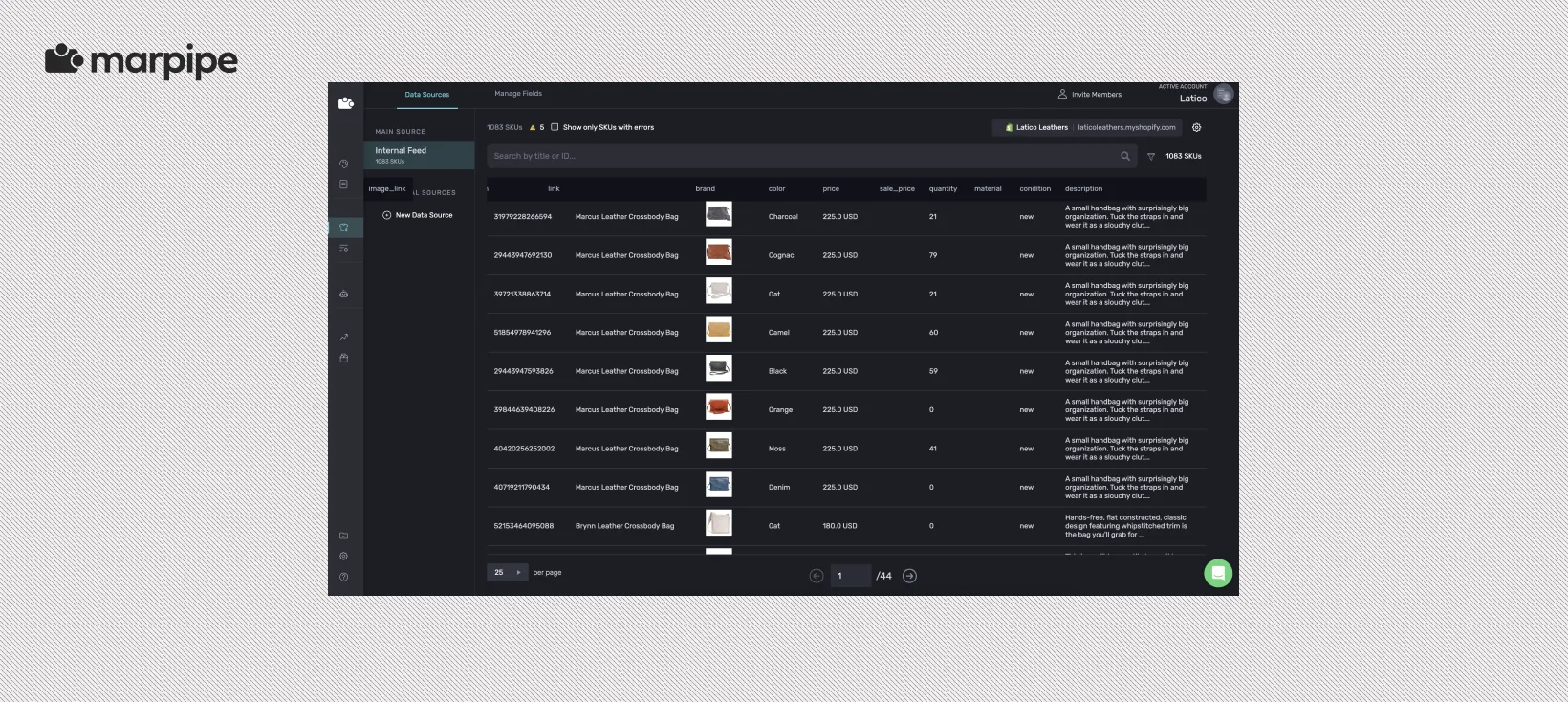
If you are new to Marpipe, start by connecting the product feed that will power your catalog ads. If your feed is already live, begin inside the output feed that is already connected to Meta. In both cases, this is the base layer that powers delivery, and it does not need to change every time you want to launch new creative.
Step 2: Create a New Treatment for the Creative Test
Inside the output feed, add a new treatment and name it based on the creative angle you want to test. This could be a ratings treatment, a promotional version, a seasonal layout, or a cleaner mobile-first variation. Treatments let you introduce new creative without duplicating the feed underneath it.
Step 3: Apply the Design to That Treatment
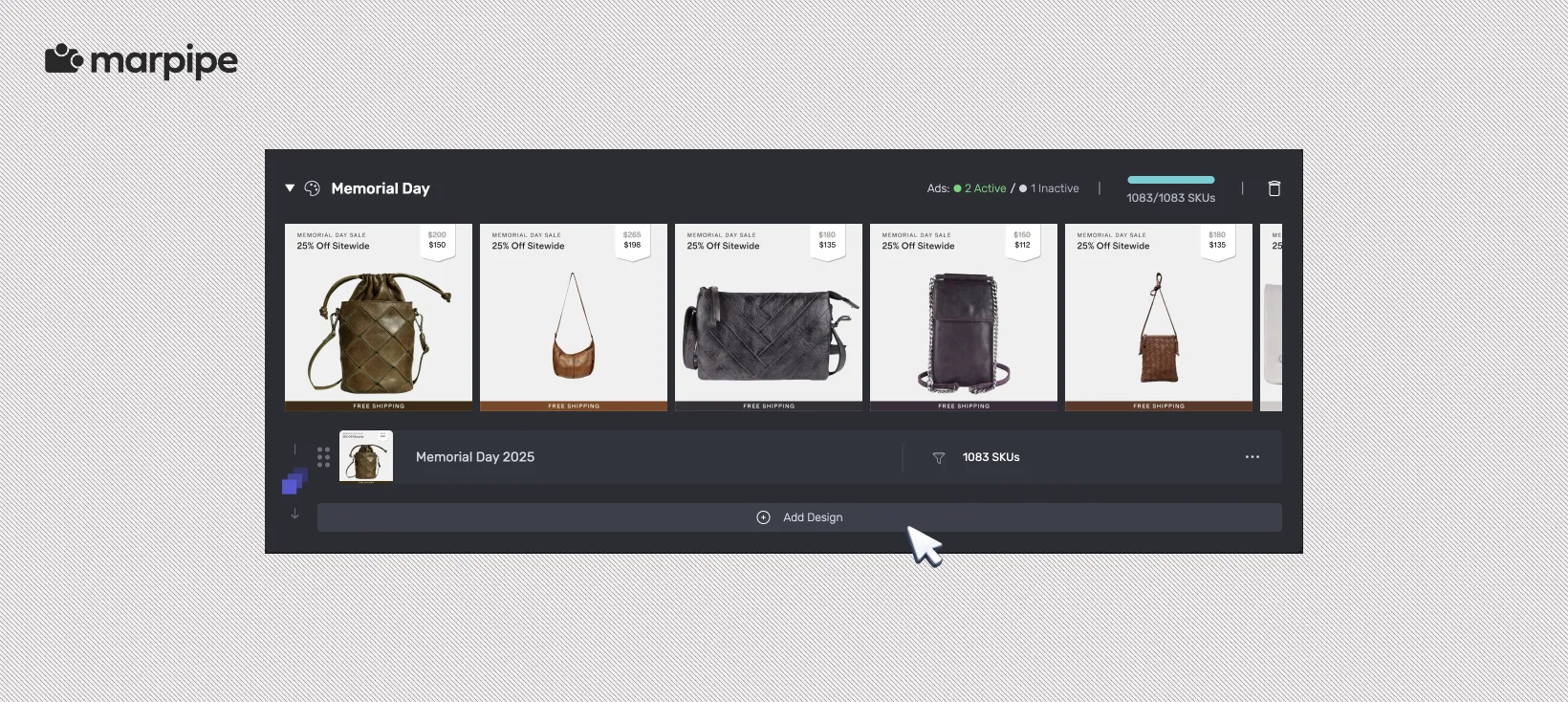
Select the design that should power this treatment. If you’re doing this for the first time, this means choosing the draft design you just created. Otherwise, you can apply a new design variation to the feed that is already live. This is where the catalog ad creative changes, while the feed infrastructure stays intact.
Step 4: Control Which Products Receive It
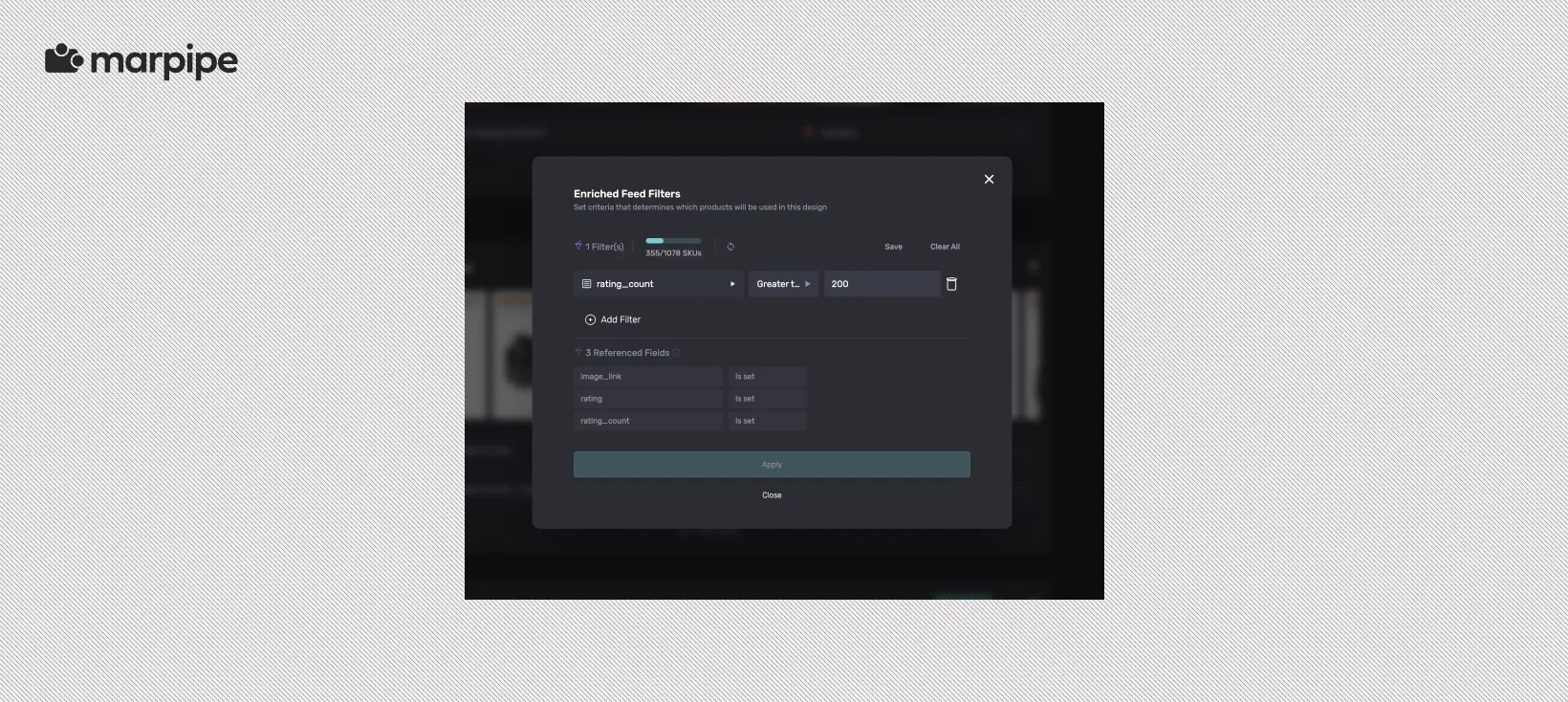
Once the design is applied, decide which products should actually receive that treatment. This is where filters matter. You may want the creative to apply only to products with strong ratings, certain price points, seasonal inventory, or top-performing SKUs. This keeps stronger creative matched to the products most likely to benefit from it.
Step 5: Add a Fallback and Publish Safely
Before publishing, create a fallback treatment for products that do not match the main rules. This ensures every SKU still receives a finished creative treatment, even when it does not qualify for the primary one. Once the treatment order is set, publish the update and assign the new creative to the campaigns you want to test. New users get a clean launch structure, and existing users get a faster way to ship new creative without disrupting what is already live.
Pick Products That Actually Benefit From Video Ads
Not every product becomes more persuasive just because it moves. One of the easiest ways to waste Meta catalog product video spend is to assume motion automatically makes every SKU more compelling.
Products that benefit most from motion usually share one trait: the shopper needs a little more context before they feel confident clicking. Meta’s own reporting has repeatedly shown that video-led catalog formats outperform static when movement adds clarity, not just motion. Meta has cited roughly 20% higher conversions from catalog video versus static catalog ads, and broader DPA benchmarks often show 20 to 60% stronger ROAS when the creative makes product relevance easier to process.
How to Do This
A practical way to identify stronger Meta catalog product video candidates is to look for products that are typically easier to understand in motion than they are in a still image.
Products that often benefit from video include:
- Apparel, where motion can help show drape, fit, scale, and how the product moves on body
- Beauty, where motion may help explain texture, application, finish, or before-and-after context
- Home and kitchen, where motion often helps show function, assembly, transformation, or use in context
- Fitness products, where movement can make form, use case, or product mechanics easier to understand
These products tend to be better suited for video because motion can add useful context and help the shopper qualify faster.
Products that often gain less from video include:
- refill packs
- simple accessories
- basic consumables
- low-differentiation SKUs
- products that are already easy to understand in one frame
In these cases, motion may add production effort without adding much clarity.
Before assigning video, it usually helps to ask:
- Does motion help explain the product faster?
- Does motion reduce hesitation?
- Does motion make the product easier to compare or trust?
If the answer is generally yes, the product may be a stronger Meta catalog product video candidate. If not, static may do the job just as well with less creative overhead.
Where Marpipe Extends Meta Catalog Product Video
Meta helps deliver catalog video at scale. Marpipe gives teams more control over what gets delivered, how it looks, and why it performs better once it gets there.
That starts before creative is even rendered. Marpipe can clean and restructure the product feed, organize products into usable groups, and apply product-level rules before anything reaches Meta, which makes it easier to build more intentional video logic from the start.
From there, Marpipe gives teams much more control over how Meta catalog product video is built. Instead of applying one generic video treatment across the catalog, teams can design feed-driven creative that adapts by category, price tier, inventory status, product attributes, or promotional context. That includes things like social proof, price logic, dynamic overlays, countdowns, and SKU-specific layouts that Meta does not create on its own.
The Next Shift Is Already Starting
The teams getting more out of Meta catalog product video are usually not doing it by producing more assets. They are getting there by treating catalog creative less like ad production and more like merchandising.
That is the real shift underneath everything in this workflow. Once you stop asking how to make more product video and start asking what each product actually needs to convert, the creative decisions get sharper. Some SKUs need stronger social proof. Some need cleaner pricing. Some need a more useful visual treatment. Some should never become video at all.
If your team is starting to think about catalog creative this way, book a demo with Marpipe to see how product-level creative logic can be applied across the catalog without rebuilding the system every time.
Frequently Asked Questions
How is Meta catalog product video different from dynamic video ads?
Meta catalog product video is usually the format layer, meaning how Meta turns catalog assets into video placements. Dynamic video ads go a step further by adapting creative logic based on product, shopper context, and intent signals. One is about delivering motion at scale. The other is about making that motion more responsive to what each shopper is likely to respond to. Our guide to breaks that shift down in more detail.
How does Meta catalog product video work with Instagram catalog ads?
Meta catalog product video can run across the same catalog infrastructure used for Instagram catalog ads, especially in placements like Feed, Stories, and Reels. The targeting and catalog logic stay largely the same. What changes is how the product is presented. Instagram catalog ads are still driven by the same feed, audience signals, and product matching, but Meta catalog product video gives those products a more immersive format that can feel more native in scroll-heavy placements.
What should teams optimize first in Meta catalog product video?
Teams should focus on the product selection and creative logic behind what gets shown. In most cases, stronger Meta catalog product video performance comes from choosing better products for motion, applying more relevant creative treatments, and making the video more useful before it ever enters delivery.
Does Meta catalog product video replace static catalog ads?
Not entirely. Meta catalog product video expands what can be done with catalog creative, but static still plays an important role. Some products are easier to understand in one frame and may not gain much from motion. In many cases, stronger performance comes from using both formats more selectively rather than replacing one with the other.
