



If you're running Facebook and Instagram ads for an online store, you've probably hit the same wall: you carry hundreds or thousands of products, and there's no realistic way to hand-build, launch, and manage a separate ad for every one of them. That's the exact problem Meta Advantage+ Catalog Ads are built to solve. Instead of creating ads product by product, you connect your catalog once and let Meta automatically generate personalized ads that show the right items to the right shoppers, based on what they've browsed, added to cart, or bought.
This guide walks through how Advantage+ Catalog Ads actually work, the different types you can run, when they make sense for your business, and what you need to have in place to get started. We'll also cover the best practices that separate campaigns that quietly drain budget from the ones that scale.
And because these campaigns only perform as well as the creative you feed them, we'll show you how Marpipe helps you produce that creative at the volume Meta rewards, without burning out your team.
What are Meta Advantage+ Catalog Ads?
Meta Advantage+ Catalog Ads are the current version of what used to be called Dynamic Ads. Instead of building a separate ad for every product you sell, you connect your product catalog once and let Meta generate and deliver personalized ads straight from that feed.
Let's say someone lands on your site, browses a few products, maybe adds one to cart, then leaves without buying. Meta picks up those signals and starts showing that person the products they're most likely to come back for, pulling the images, prices, and details directly from your catalog. You're not hand-picking who sees what. The system matches the right product to the right shopper based on their behavior and buying intent.
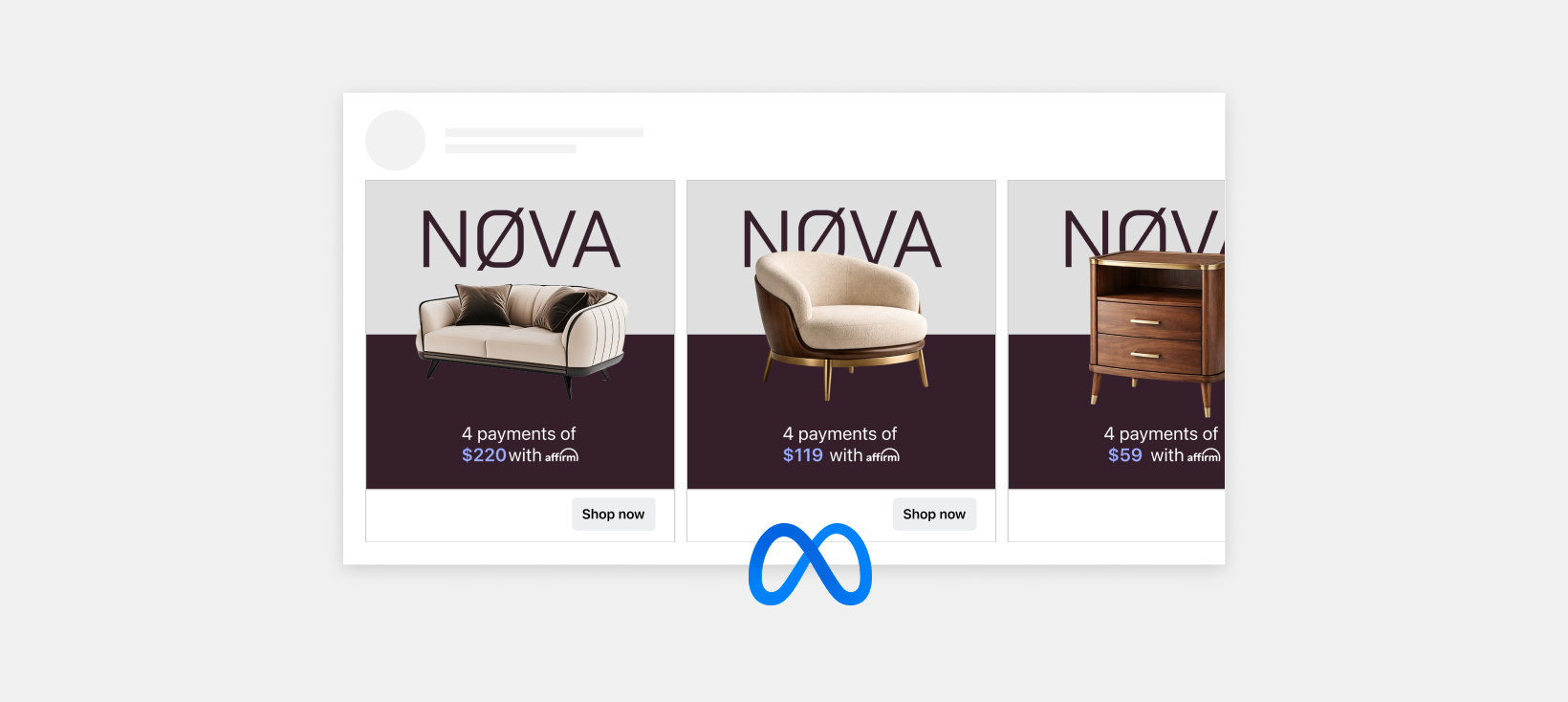
You can build multiple ad variants for a single product and multiply that across your entire catalog, which gives Meta a much bigger pool of combinations to test. Meta recommends 20 to 50 unique ads per product, and that's more than most teams can produce by hand. This is where Marpipe helps. You can spin up on-brand variants quickly with an intuitive editor and AI tools for background removal, messaging, and layout, so you give the system plenty to work with without burning out your design team.
Once your ads are live, Meta shows them across Facebook, Instagram, and other placements, and keeps optimizing toward the products and creative that actually drive sales.
What are the different types of Meta Advantage+ Catalog Ads?
Meta sorts Advantage+ Catalog Ads by who you're trying to reach, not by how the ad looks. There are two core types, plus a third that's just a variant of retargeting.
1. Advantage+ catalog ads for broad audiences (prospecting)
These go out and find new customers. You're telling Meta to look beyond people who already know you and surface your products to shoppers who seem likely to buy, even if they've never visited your site or app. You hand it light guardrails like location and age, and the system takes it from there. This is how you create fresh demand and feed the top of your funnel.
2. Advantage+ catalog ads for retargeting
These re-engage people who already interacted with your products. Someone viewed an item, added it to cart, or browsed a category and left without buying. Retargeting puts those exact products (and related ones) back in front of them to pull them back. Because these shoppers already have intent, this is usually your most efficient and lowest-cost type.
3. Cross-selling and upselling (a retargeting variant)
This one targets people who already bought from you. Instead of showing them what they purchased, you show complementary or higher-value products. Someone who bought a camera sees lenses or a bag. It's a straightforward way to grow order value from customers who already trust you.
Whichever type you run, you pick the format separately: single image or video, carousel, or collection.

Source: Facebook.com
Format controls how the products are displayed, while the type controls who sees them. So you can run a retargeting campaign in carousel format, or a broad-audience campaign in collection format, depending on the goal.
When does it make sense to run Meta Advantage+ Catalog Ads?
Advantage+ Catalog Ads aren't right for every advertiser, but they're a strong fit if you have a real product catalog and you're trying to sell at scale without building every ad by hand. The more products you carry and the more shopping signals you're collecting, the more there is for Meta's system to work with. If a few of the situations below sound like you, it's probably time to turn them on.
You're a good candidate if:
- You sell physical products through an online store: You have a catalog with images, prices, and availability that Meta can pull from, whether that's 20 SKUs or 20,000.
- You're spending too much time building one-off product ads: You want Meta to generate and rotate personalized ads automatically instead of manually creating a new ad set for every product.
- You're getting site traffic that isn't converting: People are browsing and adding to cart but leaving, and you want to bring them back with the exact products they looked at.
- You want to find new customers, not just retarget: You're ready to let Meta surface your products to fresh audiences who look likely to buy but have never heard of you.
- You have clean tracking in place: Your Pixel or Conversions API is firing key events (view content, add to cart, purchase), so Meta has the signals it needs to match products to people.
- You want to grow order value from existing customers: You'd like to cross-sell or upsell complementary products to people who already bought.
How do you actually run Meta Advantage+ Catalog Ads?
You don't need to be a Meta power user to get these live, but you do need a few pieces in place before the system can do its job. Think of it in three parts: what to gather, what to have set up, and what to do once you're ready to launch.
What you need to gather
- A product catalog with clean, complete data: titles, images, prices, and current availability for everything you want to advertise.
- Creative to feed the system: a healthy set of image and video variants per product, not just the one stock photo from your product page.
- Your audience strategy: decide upfront whether this campaign is for prospecting, retargeting, or cross-selling, since that shapes how you set it up.
What you should have in place
- A Meta Business account and ad account in good standing.
- Your catalog connected to a data source (Meta Pixel and/or the Conversions API on your site, or the app SDK), so Meta can match shopping behavior to products.
- Key events firing correctly, such as, view content, add to cart, and purchase. Aim for a catalog match rate of at least 75 percent, ideally above 90 percent.
- Domain verification and conversion settings sorted, so delivery and reporting aren't held back later.
What you need to do
- Connect your catalog and pick the product set to promote. The largest set usually performs best because it gives Meta the most options.
- Choose your audience type (broad audiences for new customers, or a retargeting audience for people who already engaged) and set light guardrails like location and age.
- Set your budget and let the campaign run long enough to exit the learning phase before you start making changes.
- Optimize toward lower-funnel events like purchase rather than view content or add to cart, so Meta is chasing actual sales.
- Keep feeding it fresh creative and keep your feed clean. Those two levers, creative quality and feed quality, are what you control and what move performance most.
Best Practices for Meta Advantage+ Catalog Ads
Once your campaigns are live, most of your gains come from a handful of habits rather than constant tinkering. The system does the heavy lifting on targeting and delivery, so your job is to feed it well and stay out of its way while it learns. Here are the practices that tend to move performance the most.
Start with a clean, complete feed
Your feed is the foundation of every ad Meta builds, so broken images, thin titles, missing prices, or out-of-stock items drag down everything downstream. Make sure your catalog data matches what's actually on your site, then keep it that way. Fixing this once and maintaining it beats firefighting errors after they've already cost you delivery.
Give Meta plenty of creative to work with
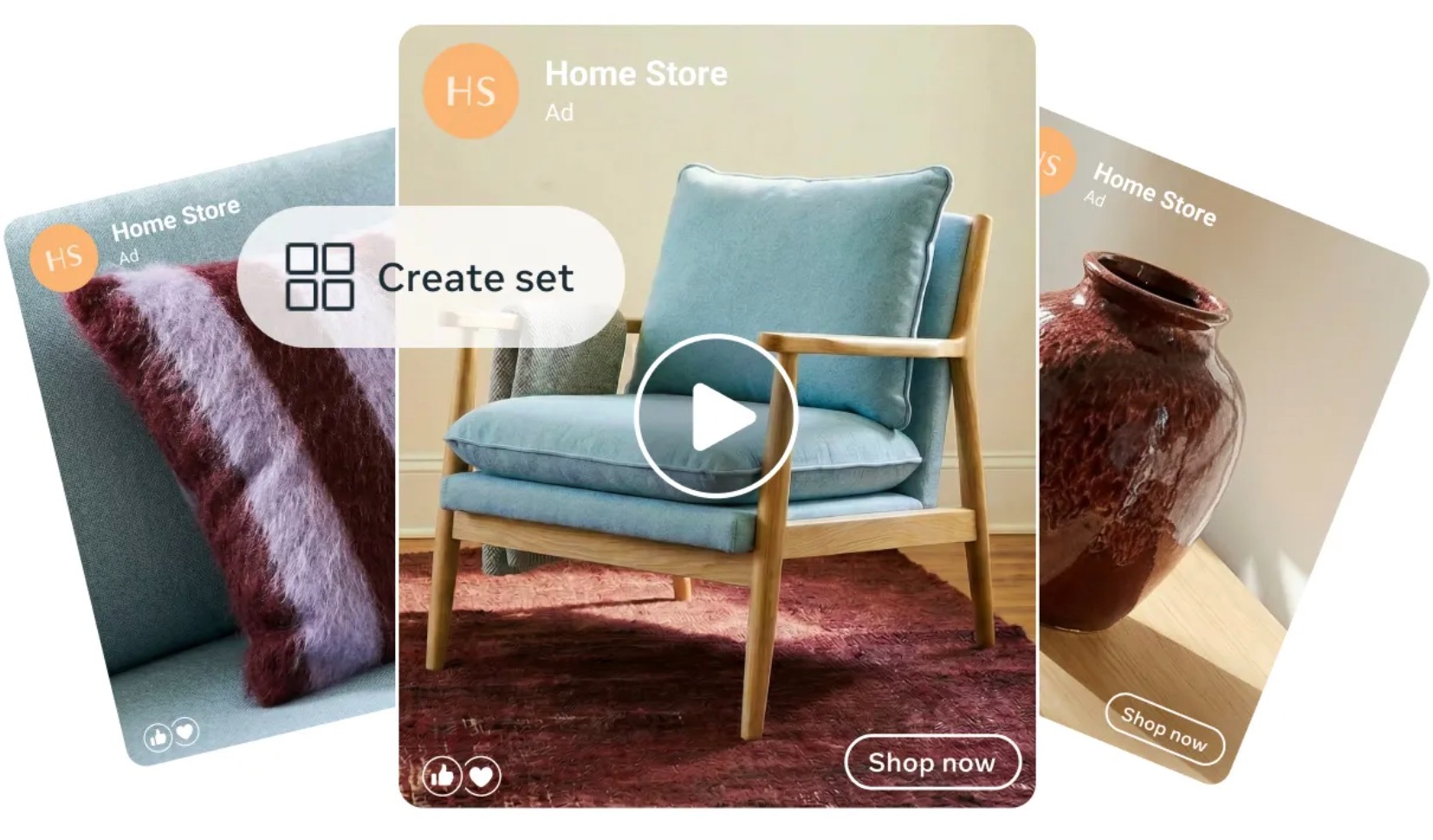
Meta recommends 20 to 50 unique ads per product, and that's not a throwaway number. The more image and video variants the system has, the more combinations it can test to find the pairings that convert. Lean on a mix of formats and angles instead of recycling the single stock photo from your product page, and you give the algorithm real room to optimize.
Use one catalog and the largest product set
Keeping everything in a single catalog simplifies management and gives the delivery system the widest pool to pull from. When you choose what to promote, the largest product set usually wins because it hands Meta the most options to match the right product to the right shopper. Only narrow it down when you have a specific reason to.
Keep your match rate high
A strong catalog match rate means the products people interact with on your site are actually present and available in your catalog. Aim for at least 75 percent, ideally above 90 percent, by making sure your Pixel, Conversions API, or app SDK is set up correctly. A low match rate is usually a tracking problem, and it quietly limits how well Meta can personalize.
Optimize toward purchases
Product recommendations get optimized around the goal you set, so pointing the campaign at lower-funnel events like purchase generally beats optimizing for view content or add to cart. You're telling the system to chase actual sales rather than shallow signals, which leads to better quality delivery over time.
Let campaigns exit the learning phase
Advantage+ needs data to stabilize, so resist the urge to change budgets, audiences, or creative every day. Most meaningful edits reset the learning phase and set you back. Give the campaign room to accumulate conversions and settle before you judge performance or scale.
Watch the full funnel, not just ROAS
Top-line return hides where things actually break. Follow the path from view content to add to cart to purchase, and read the drop-offs. Strong view content but weak add to cart usually points to a product or offer problem, while strong add to cart but lagging purchases points you toward checkout, shipping, or pricing.
Why Marpipe makes Advantage+ Catalog Ads work harder
Meta Advantage+ Catalog Ads are one of the most efficient ways to turn your product feed into always-on, personalized sales. They reach new customers, bring back the ones who almost bought, and keep optimizing toward the products and creative that actually convert. The catch is right there in how they work: the system only performs as well as the creative you feed it, and Meta recommends 20 to 50 unique ads per product. Across a full catalog, that's thousands of assets. Most teams can't produce that by hand without burning out their designers or shipping the same stock photo over and over.
That's the gap Marpipe fills. Instead of treating creative as the bottleneck, you build on-brand variants at scale and give Meta the volume and variety it needs to find winners.
Here's how Marpipe helps:
- Generate variants fast. Build dozens of on-brand ad versions per product in an intuitive editor, no design team bottleneck required.
- Clean and enrich your feed. Fix titles, images, prices, and missing attributes close to the source, so you're not pushing messy data into Meta.
- Use AI where it saves time. Background removal, messaging, and layout tools handle the repetitive work so you can focus on what actually sells.
- Produce image and video at scale. Feed Meta the diverse creative it rewards across placements without rebuilding everything by hand.
- Test and keep what works. Spot the variants that drive performance and double down, instead of guessing which creative to run.
Book a demo and we'll show you how to turn one product into a full set of test-ready ads in minutes, fill your Advantage+ campaigns with the creative volume Meta actually wants.
Frequently Asked Questions About Meta Advantage+ Catalog Ads
What's the difference between Advantage+ Catalog Ads and Advantage+ Shopping campaigns?
They're related but not the same thing. Advantage+ Catalog Ads are the ad format that pulls products from your feed and personalizes them per user, essentially the evolution of Dynamic Ads. Advantage+ Shopping (ASC) is a campaign type built on the Sales objective that leans even harder on automation across audiences and placements. You can run catalog ads inside a Shopping campaign, so think of your catalog as the inventory and ASC as one automated way to deliver it.
Do Advantage+ Catalog Ads work with a small product catalog?
They do, but they perform best when Meta has options to choose from. With only a handful of SKUs, the system has less room to match products to intent, so cold prospecting (DABA) tends to underperform. If your catalog is small, lean on retargeting first and give Meta more to work with by building multiple creative variants per product rather than waiting until you have more SKUs.
How long does the learning phase last, and how many conversions do I need?
Meta generally wants around 50 optimization events in a rolling 7-day window to exit learning, which usually takes 7–14 days at a reasonable budget. Resist editing budgets, audiences, or creative during this window, as the most meaningful changes reset the clock. Let the campaign stabilize before you judge performance or start scaling.
What's a good ROAS for Advantage+ Catalog Ads?
It depends heavily on whether you're prospecting or retargeting. Cold prospecting (DABA) often lands somewhere in the 1.2x–2.5x range, while retargeting (DPA) can reach 2.5x–6x because those people already know you. A practical approach is to set your target ROAS 20–30% below your real goal at launch, then tighten it gradually once the campaign exits learning.
Why aren't my catalog ads spending or delivering?
It might be a feed or tracking problem, not the campaign itself. Check that your catalog has valid images, prices, and availability, that your Pixel/CAPI events (view content, add to cart, purchase) are firing correctly, and that your domain is verified. A too-tight ROAS target or a very small product set can also choke delivery before the system finds traction.
How do I stop retargeting from eating my entire budget?
Because existing customers convert easily, Meta will happily over-spend on them, thus inflating your reported ROAS without actually growing your customer base. Use the existing-customer budget cap (start somewhere around 10–25%) to push more spend toward new audiences, and define your customer list clearly so the system knows who counts as "new" versus "returning."
