


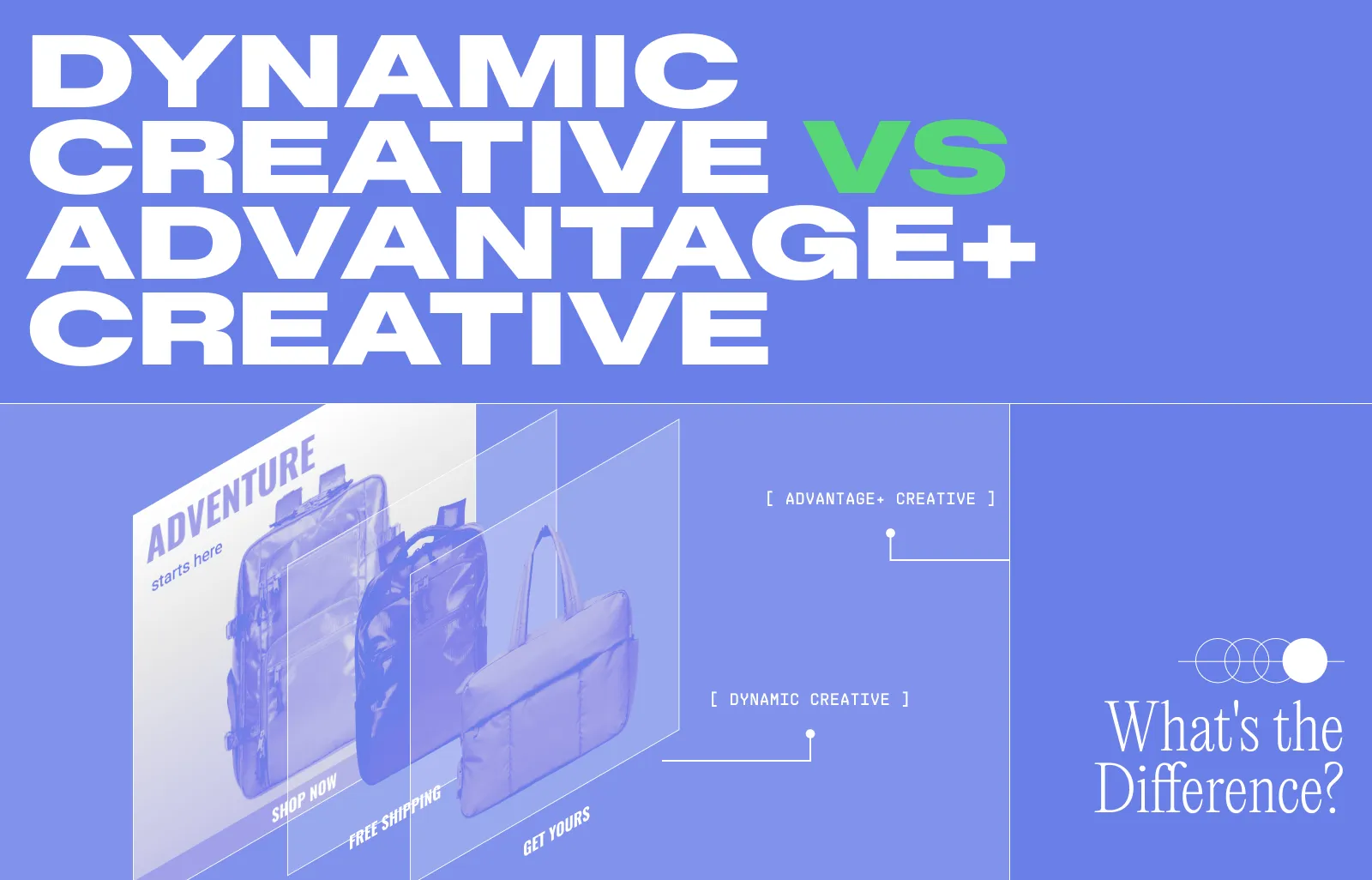
If you run Meta ads for an e-commerce brand, you've probably seen both Dynamic Creative and Advantage+ Creative show up in Ads Manager. They sound similar, they both promise to test more variations, and Meta keeps nudging you toward them. So which one actually does what, and when should you use them? We'll cover these questions in this article.
Dynamic Creative vs. Advantage+ Creative: A Quick Comparison
What is Dynamic Creative?
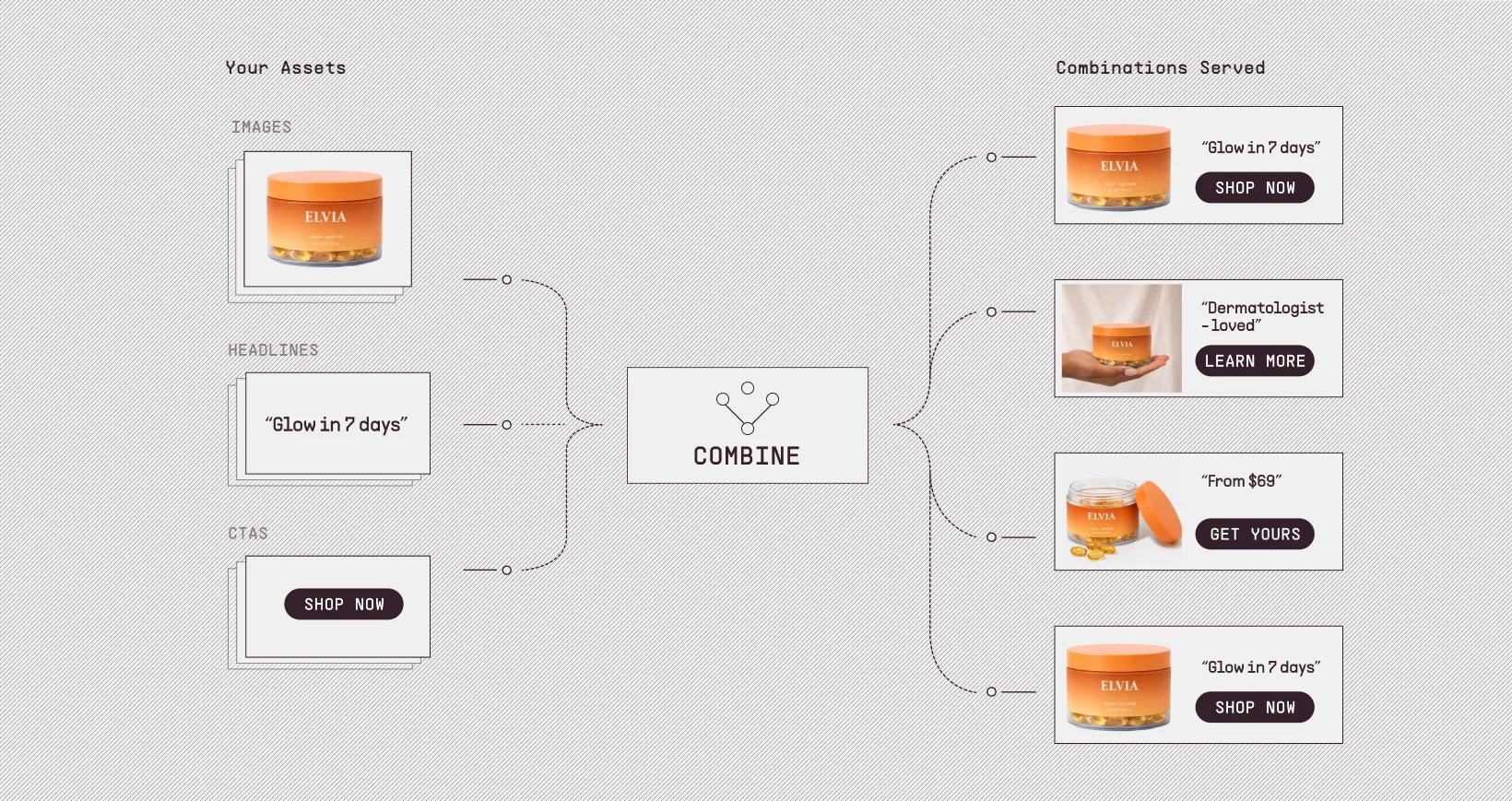
Dynamic Creative is a setting at the ad set level that takes the assets you provide and mixes them into many ad variations automatically. You upload the parts: images, videos, primary text, headlines, descriptions, and CTAs. Meta builds combinations from them, then serves what it predicts will work best for each viewer.
You upload multiple options for each element. Meta does the math on the possible combinations (which can run into the thousands) and rotates them based on your target audience.
Let's say you run a skincare brand. You upload three product photos (a flat lay, a lifestyle shot, a hand-held demo), two videos (a short how-to and a longer customer review), four headline options, three primary text variations, and a couple of CTAs. Meta might serve the lifestyle shot with one headline and CTA to one shopper, and the demo video with a different headline to another. You provided around a dozen inputs. Meta tested dozens of combinations from them.
A few other limits worth knowing:
- There's a hard cap of 1,000 Dynamic Creative ads per account.
- It doesn't work with multi-language ads, asset customisation, or political content.
- You can't use the WhatsApp Status placement while Dynamic Creative is on.
- Reporting is aggregated across all variations, so you don't get clean per-variant performance. It's not a substitute for proper split testing.
Dynamic Creative has an Optimise creative for each person toggle. If you switch it on, Meta starts applying its own enhancements on top of your uploaded assets: cropping, background fills, image-to-video conversion, music, text field swapping, and more. With that toggle on, Dynamic Creative starts behaving a lot like Advantage+ Creative. That's why the line between the two products feels blurry in 2026.
From 2024 onward, Meta restricted Dynamic Creative on the Sales and App Promotion objectives. New ad sets on those objectives can no longer use it. Existing campaigns still run, but Meta is steering advertisers toward what it calls the flexible ad format instead. For most e-commerce brands, if you're running shop or catalogue sales campaigns today, Dynamic Creative is off the table for new ad sets.
What is Advantage+ Creative?
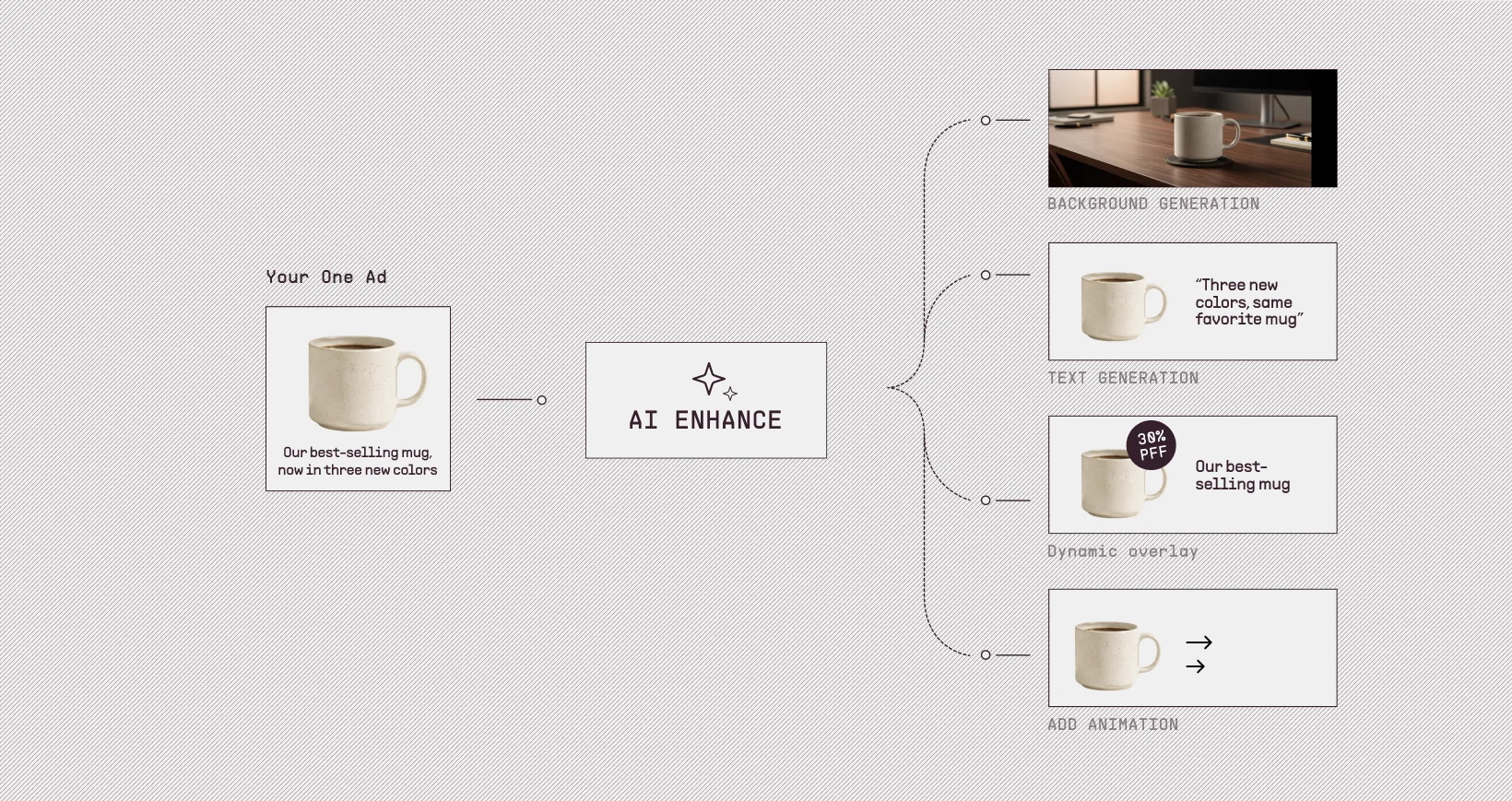
Advantage+ Creative is a set of enhancements Meta applies to your ad at the ad level. Instead of mixing assets you uploaded, it modifies them or generates new versions on the fly to better fit the person seeing it. You upload your ad as normal, then toggle enhancements on or off one by one in the ad creation flow.
Let's say you upload one product photo of a coffee mug on a white background, with a single line of primary text. With Advantage+ Creative on, Meta might extend the white background into a kitchen scene for one viewer, swap it for a desk-with-laptop scene for another, add a 30% off sticker, rewrite your text into an alternative phrasing, and apply gentle animation to the image.
What enhancements are available depends on your ad format, placements, and whether you're using a catalogue. Meta turns some on by default. You can switch any of them off at any time.
The list of enhancements in 2026 is long, and a lot of them now run on generative AI. The non-AI ones cover the basics: brightness and contrast adjustment, video subtitles, store locations, profile end cards, dynamic descriptions, and standard labels. The AI-powered ones help with:
- Background generation: Replacing or extending the background behind your product.
- Image generation: Creating new product image variations.
- Image and video touch-ups: Tightening up your existing media.
- Add animation: Turning a static image into a short video with panning, zooming, or rotating motion (single-image ads only).
- Add music: Layering in either AI-generated music or music from Meta's library, picked to match the feel of your ad.
- Text generation and text improvements: Rewriting headlines, primary text, or descriptions in alternative phrasings.
- Translations: Localising your text into other languages.
- Enhance CTA, create sticker CTA, add overlays, video effects: Smaller AI tweaks that polish what's already there.
- Show highlights and show summaries: Pulling key product details from your assets and surfacing them on the ad.
There are also catalogue-aware enhancements for shops such as dynamic overlays (price, discount, stock pulled live from your catalogue), product tags, and dynamic descriptions. These only fire on Advantage+ catalogue ads.
Key details to know about Advantage+ Creative:
- If you turn on the branding feature, Meta will try to respect your brand preferences (colours, fonts, logo) inside some enhancements.
- Ads created or materially edited with generative AI may carry an AI info label, visible next to the Ad label or in the three-dot menu.
- Generative AI features are not available everywhere. Regulated verticals (financial services, pharma and health, housing, employment, credit, social issues, elections, and politics) have restricted access while Meta tests safeguards. Some countries are also gated.
- You give up some control. Meta decides which enhancement fires for which viewer. You toggle the option on or off, but you don't preview the exact variation each user sees.
Advantage+ Creative is fast to set up and tests more variations than you could ship by hand. The cost is that you can't see or pick the precise ad a given shopper was served.
When should you use what?
Most e-commerce brands in 2026, Advantage+ Creative is the default. Dynamic Creative is restricted on the two objectives e-commerce uses most (Sales and App Promotion), so the decision is often made for you. But here's how to think about it across the common e-commerce scenarios.
Use Advantage+ Creative when:
- You're running a Sales or App Promotion campaign. Dynamic Creative isn't an option on those objectives for new ad sets.
- You're light on ad creatives. If you have one strong photo and one line of copy, Advantage+ Creative stretches that into several variations without you producing more assets.
- You're running catalogue or shop ads. Dynamic overlays, product tags, and dynamic descriptions only fire here. Skipping Advantage+ means leaving free shopping signals on the table.
- You want to test concepts quickly. Background generation, image generation, and text variations will surface what's working in days, not weeks.
- You're a new account or starting from scratch. Meta's onboarding flow pushes Advantage+ for new accounts, and the default settings are tuned for it.
You don't have to treat Advantage+ as all-or-nothing. Each enhancement is a separate toggle. Many e-commerce brands turn on the ones they trust (image touch-ups, brightness and contrast, video subtitles, translations) and leave the more aggressive ones off (image generation, background generation, text generation). That's a sensible middle path while you build confidence in what the AI does to your ad creative.
Use Dynamic Creative when:
- You're running on an objective where it's still available: Awareness, Traffic, Engagement, or Leads. For example, a skincare brand running a Traffic campaign to drive blog reads, or a brand collecting newsletter sign-ups with a Leads campaign, can still use it.
- You already have a stock of polished, on-brand assets. Brands with active creative teams or a backlog of UGC pre-cleared for ads benefit from Dynamic Creative, because they're testing real shot variations rather than Meta's interpretations of them.
- Brand control is non-negotiable. If your legal or brand team has strict rules about hero shots, background colours, or how product images can be cropped, Dynamic Creative keeps your assets untouched (as long as the Optimise creative for each person toggle stays off). Advantage+ enhancements modify what you upload, and that's a problem for tightly governed brands.
- You want A/B specific creative pairings, not AI-driven variations. Dynamic Creative tests the inputs you supplied. Advantage+ tests what Meta generated.
There's a third option worth knowing about: the flexible ad format. Meta recommends it as the replacement for Dynamic Creative on Sales and App Promotion campaigns. It lets you upload several media assets per ad and Meta picks the best one per impression. It's narrower than Dynamic Creative (just media, not full headline-text-CTA combos), but it's the closest equivalent on the objectives Dynamic Creative no longer supports.
Scale Designed Catalogue Ads Across Thousands of SKUs With Marpipe
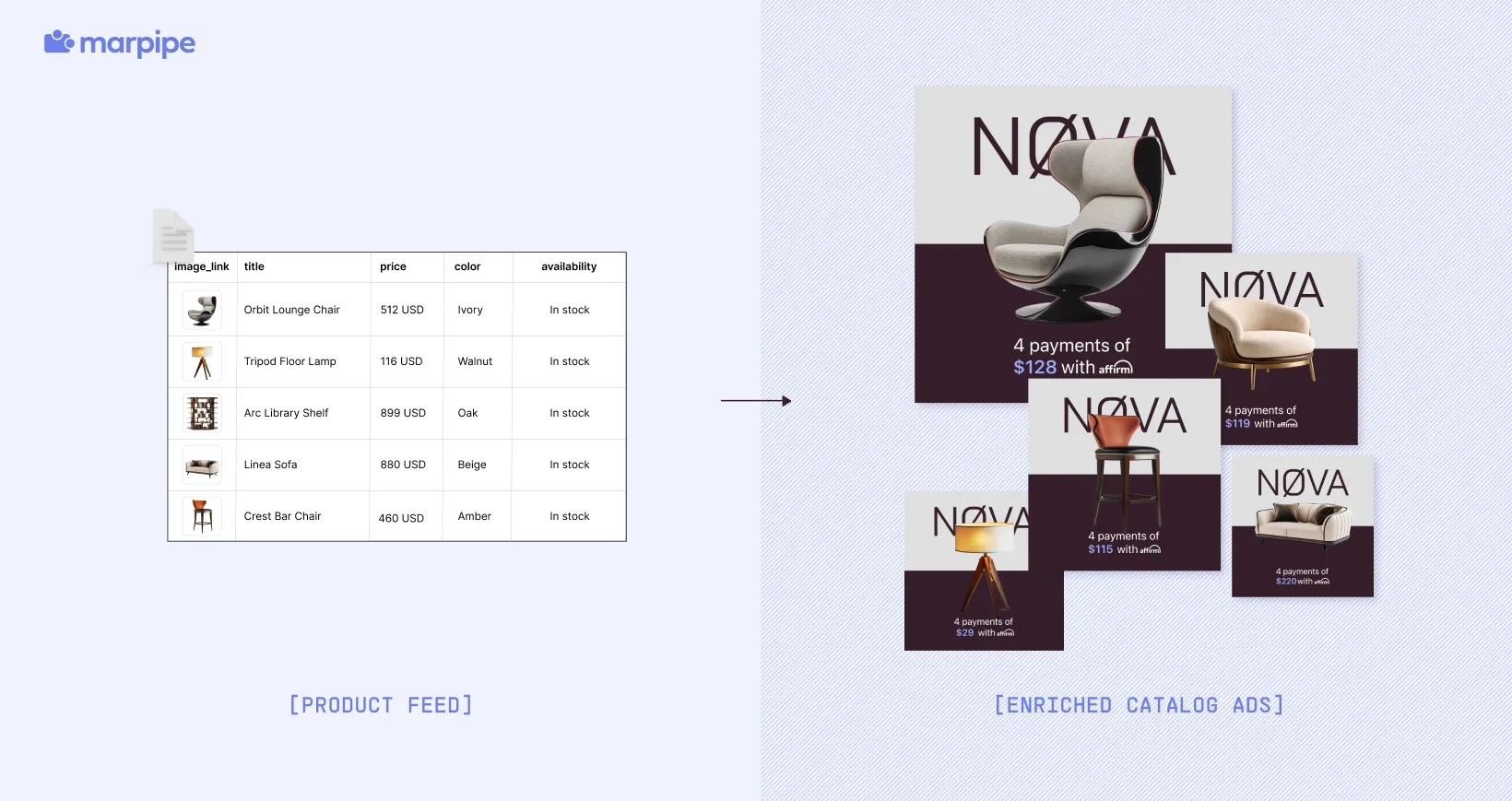
Meta's tools can help you optimize headlines, expand backgrounds, and rotate creative variations on a single ad. They won't help you turn 500 plain product images into 500 designed, on-brand catalogue ads at scale. That's where tools like Marpipe come in.
Marpipe connects to your product feed and automatically applies branded design to every product in your catalogue. Instead of running plain product photos with a basic price label, your catalogue ads come out looking like real creative your design team would ship.
Here's what Marpipe does for your performance team:
- Applies branded templates across every SKU, so a 500-product feed becomes 500 designed ads with no manual work per product.
- Pulls value props live from your feed (price, discount, stock count, ratings) and lays them out cleanly in the design.
- Adds countdown timers, strikethrough pricing, percentage-off labels, social proof badges, and inventory urgency cues to your product images.
- Converts static product images into short product videos at the SKU level.
- Generates AI backgrounds that replace the standard white catalogue background with something more in-feed and on-brand.
Marpipe's own benchmark across more than 650 connected ad accounts shows roughly a 20% lift on enriched catalogue ads compared to plain ones. Book a demo with Marpipe to see how you can get better results with your ads →
