


.jpeg)
TikTok isn’t just where trends are born anymore. It’s turned into a full‑blown e‑commerce machine. With TikTok Shopping, shoppable videos, and catalog ads, brands can turn their product feeds into actual sales while reaching one of the most eager, ready‑to‑buy audiences out there.
So…TikTok Product Feeds? Yeah, think of it as the backstage pass for your catalog. It’s a structured file that TikTok reads to know what you sell, how much it costs, what sizes and colors you’ve got, and whether it’s in stock. That feed is what powers everything from shoppable videos to Catalog Ads. And because TikTok is doubling down on social commerce, getting your feed right isn’t a “if we get a chance” thing anymore, it has become the actual difference between blending in and cashing in.
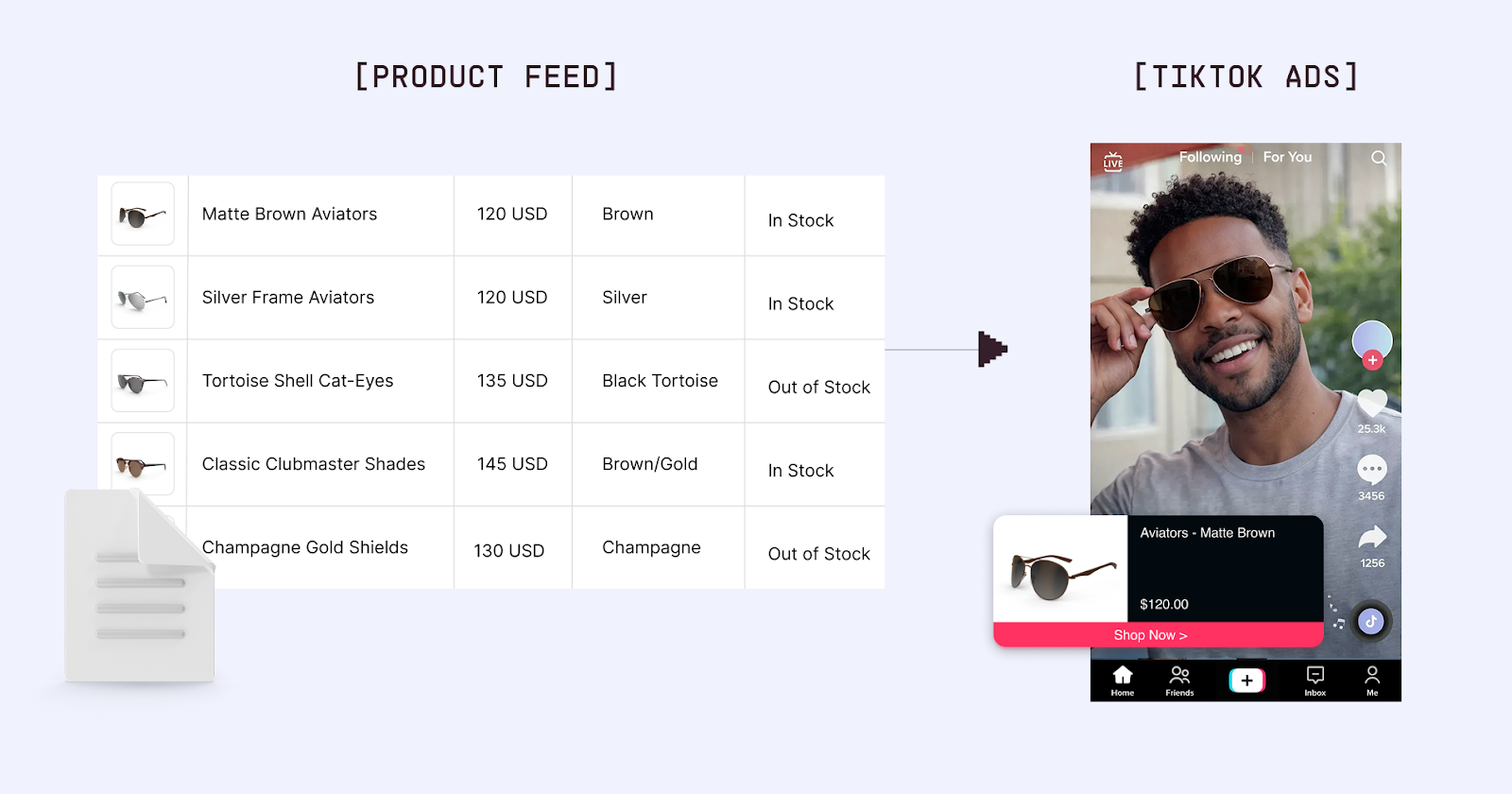
This guide is here to show you how to build, polish, and actually use TikTok product feeds so they drive reach and sales instead of headaches.
What is a TikTok Product Feed?
Basically a catalog file ( XML, CSV, or API‑based) that fuels both organic shopping spots (your Product Showcase tab, shoppable videos, LIVE Shopping, product links) and paid formats (Catalog Ads, Dynamic Showcase Ads, Video Shopping Ads, Collection Ads). It’s the single source of truth for titles, images, prices, availability, and variants. TikTok pulls straight from it to render shopping experiences inside its short‑form video world.
TikTok Product Feeds Really Matter?
YES! They do. TikTok owns Gen Z and Millennials. They scroll, they engage, they buy on impulse. Sixty‑seven percent of users say TikTok made them shop. That’s wild. Add TikTok Shop, in‑app checkout, and Shopify/WooCommerce integrations, and you’ve got a channel that’s growing faster than most brands can keep up with. Strong creative plus a clean feed equals catalog ads that actually convert.
Setting Up Your TikTok Product Feed
Step 1: Qualify for TikTok Shopping
You’ll need a TikTok for Business account, an e‑commerce site with checkout, compliance with TikTok’s Commerce Policies, physical products in allowed categories, and to be in a supported market like the US or UK, some regions even ask for a minimum follower count.
Step 2: Connect Your E‑Commerce Platform or Create a Catalog
If you’re on Shopify, WooCommerce, BigCommerce, Magento, or Wix, it’s plug‑and‑play. Install the TikTok app or plugin, connect your TikTok for Business account, and sync products so updates flow automatically. Running a custom stack? Upload CSV or XML files through TikTok Seller Center or Ads Manager and map attributes yourself. Want full control and real‑time sync? Use the TikTok Catalog API. And if you’re advertising across multiple channels, a feed platform like Marpipe can spit out TikTok‑optimized feeds alongside Google, Meta, and Pinterest, all managed in one place, free, and without the juggling act.
Step 3: Format Your TikTok Product Feed
TikTok product feeds require specific attributes:
Required Attributes:
- sku_id : Your unique product identifier
- title : Product name (max 255 characters, 50–70 recommended)
- description : Product details (max 5,000 characters)
- availability : in stock, out of stock
- image_link : Main product image URL
- price : Product price with currency (e.g., "29.99 USD")
- product_page_url : Link to product page
- brand : Brand name
- google_product_category : Google's taxonomy (TikTok uses this)
Highly Recommended:
- sale_price : Promotional pricing (TikTok users are price:conscious)
- additional_image_link : Multiple product images
- video_link : Product videos (critical for TikTok)
- item_group_id : Group product variants
- color, size, material : Product attributes
- product_type : Your category structure
TikTok:Specific Considerations:
- Video content: Products with video perform significantly better
- Vertical format: 9–16 aspect ratio for native TikTok experience
- Mobile-first: All product pages must be mobile:optimized
- Fast loading: Page speed critical for in:app browser
Step 4: Validate and Submit
After creating your feed:
- TikTok processes products (typically 24–48 hours)
- Review any errors or warnings
- Products undergo review for policy compliance
- Approved products appear in your TikTok Shop
- Products become available for advertising
TikTok Product Feed Optimization Best Practices
Optimize for TikTok's Audience
TikTok's demographic skews younger and more trend-conscious than other platforms:
Title Optimization:
- Benefit-focused: "Skin That Glows" not "Moisturizing Face Cream"
- Conversational: "Your New Favorite Jeans" not "Denim Pants - Blue"
- Trend-aware: Reference popular aesthetics or trends when relevant
- Concise: 50–70 characters ideal for mobile viewing
Example Comparison:
Standard Title (Google Shopping): "Nike Women's Air Max 270 Running Shoes - White/Pink, Size 8"
TikTok:Optimized Title: "Cloud:Soft Running Shoes - Pink & White Vibes"
Include Product Videos in Your Feed
TikTok is a video platform. Products with video dramatically outperform those without.
Video Best Practices:
- 9–16 vertical format: Native TikTok aspect ratio
- 15–60 seconds: Sweet spot for product videos
- Show product in use: Not just product on table
- Fast:paced editing: Match TikTok's energetic style
- No obvious ads: Feel organic, not commercial
- Trending audio: Use popular sounds when relevant
How to Include Video:
- Some platforms include video_link attribute in feed
- Alternatively, upload videos directly in TikTok Seller Center
- Use TikTok's video creation tools within the platform
Pro Tip: Brands using product:level video see 3–5x higher engagement on catalog ads.
Optimize Product Images for Mobile
All TikTok shopping happens on mobile. Image optimization is critical:
Image Requirements:
- Minimum: 500 x 500 pixels
- Recommended: 1200 x 1200 pixels or larger
- Aspect ratio: Square (1–1) or vertical (9–16)
- File format: JPG or PNG
- File size: Under 5MB
Image Best Practices:
- Clear product focus: Product should be obvious and prominent
- Clean backgrounds: White or simple backgrounds work well
- Lifestyle imagery: Show products in relevant contexts
- Multiple angles: Use additional_image_link for 3–5 images
- Mobile preview: Test how images look on phone screen
Price Competitively
TikTok's audience tends to be price:conscious:
Pricing Strategy:
- Display competitive prices (users compare quickly)
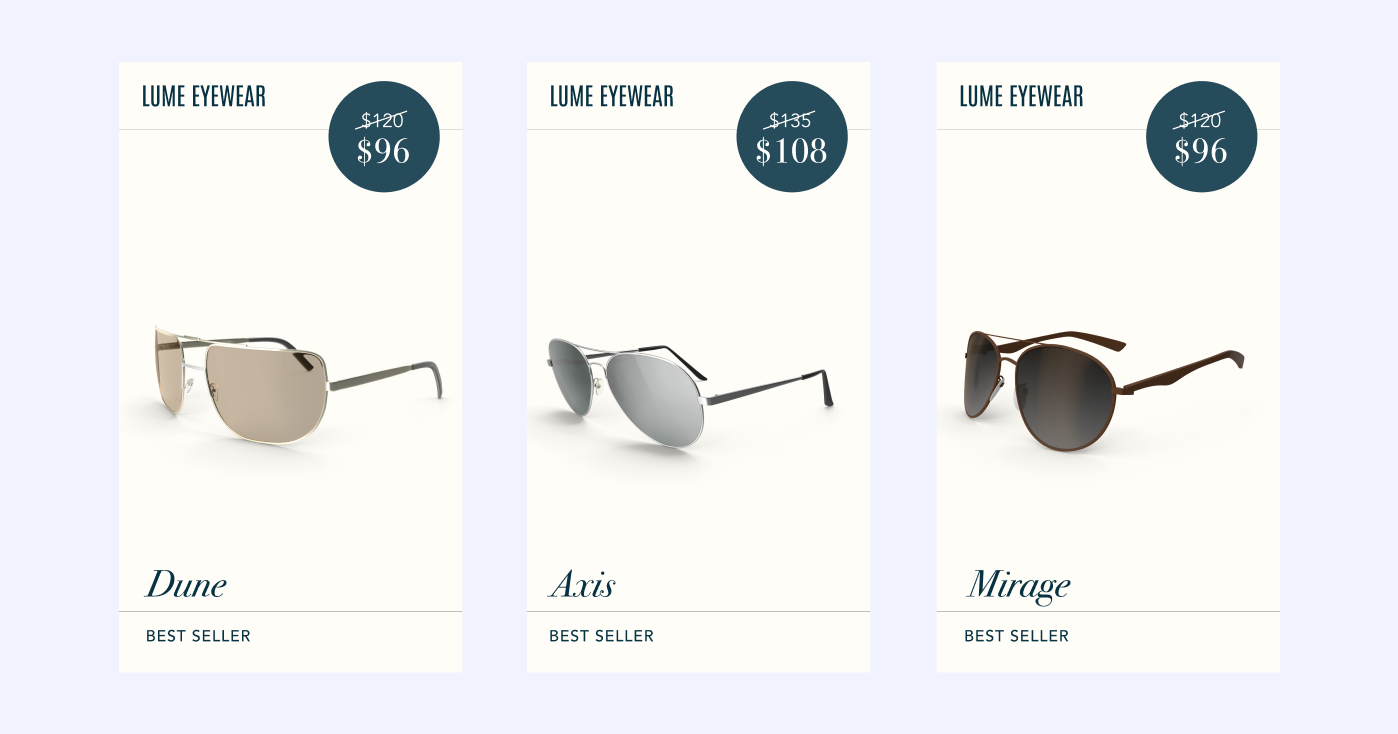
- Use sale_price for promotions prominently
- Offer TikTok:exclusive deals when possible
- Price anchoring: Show value of bundle or multi-pack
- Free shipping threshold: Highlight in product details
Price Display: Regular: $49.99 Sale: $29.99 performs well
Leverage Product Variants Strategically
TikTok users want options but also simplicity:
Variant Best Practice:
- Include all variants (colors/sizes) as separate items
- Use item_group_id to group related products
- Lead with most popular variant
- Ensure each variant has unique image showing actual variant
- Include variant attributes clearly (color, size)
Use TikTok:Friendly Product Categories
Some product categories perform exceptionally well on TikTok:
High:Performing Categories:
- Beauty & cosmetics
- Fashion & accessories
- Home & lifestyle
- Fitness & wellness
- Gadgets & electronics
- Food & beverages
Category:Specific Optimization: Tag products with google_product_category correctly for better targeting.
TikTok Catalog Ad Formats
Your product feed powers multiple TikTok ad formats:
Video Shopping Ads
Full:screen video ads with product tags:
- Native video format (looks like organic content)
- Product info appears as overlay
- Swipe up to purchase
- Best for: Impulse purchases, trending products
Dynamic Showcase Ads (DSA)
Automated product ads personalized to each user:
- TikTok's algorithm selects products
- Shows most relevant items from your catalog
- Automatic optimization
- Best for: Scaling, testing, retargeting
Collection Ads
Showcase multiple products from your catalog:
- Cover video + product grid
- Browse experience within ad
- Multiple purchase options
- Best for: Product discovery, variety showcasing
LIVE Shopping Ads
Promote your TikTok LIVE Shopping sessions:
- Drive traffic to live shopping events
- Real-time product demonstrations
- Interactive shopping experience
- Best for: Product launches, limited releases
Learn more in our TikTok catalog ads guide.
TikTok Shopping vs. TikTok Catalog Ads
Understanding both helps optimize your feed strategy:
TikTok Shopping (Organic)
Features:
- Product Showcase (your TikTok Shop)
- Tag products in organic videos
- Product links in bio and videos
- LIVE Shopping during streams
Reach:
- Limited to followers and organic reach
- Depends on video virality
- No guaranteed impressions
Cost:
- Free (no advertising costs)
- TikTok may take commission on sales
Best for:
- Building authentic brand presence
- Engaging existing audience
- Creator collaborations
TikTok Catalog Ads (Paid)
Features:
- Reach beyond your followers
- Advanced targeting options
- Dynamic product selection
- Multiple ad formats
Reach:
- Paid impressions
- Precise targeting (age, interests, behaviors)
- Scalable reach
Cost:
- Pay per impression or click
- Budget control
Best for:
- Customer acquisition
- Scaling quickly
- Testing products
- Retargeting campaigns
Strategic Approach: Use both:organic for authenticity, paid for scale.
Multi-Platform Product Feed Strategy
Smart brands don't advertise only on TikTok. Coordinate across platforms:
Platform Strengths:
- TikTok: Younger demographics, trending products, impulse purchases
- Meta (Facebook/Instagram): Broad reach, visual discovery, retargeting
- Google Shopping: High purchase intent, search-driven
- Pinterest: Planning mindset, aspirational
Feed Management Challenge: Each platform has different requirements, formats, and optimization strategies. Managing separate feeds is time-consuming and error-prone.
Solution: Use centralized feed management tools to maintain one product catalog and automatically generate platform-optimized feeds for TikTok, Google, Meta, Pinterest, and more.
Common TikTok Product Feed Errors
Error: "Product URL Not Mobile:Optimized"
Cause: Product landing pages don't work well on mobile.
Fix:
- Ensure website is mobile-responsive
- Test loading speed on mobile (under 3 seconds)
- Remove mobile popups and overlays
- Verify checkout works on mobile
Error: "Image Quality Too Low"
Cause: Product images below minimum resolution or poor quality.
Fix:
- Use minimum 1200 x 1200 pixel images
- Ensure clear, in:focus product photos
- Compress without losing quality
- Test how images appear on mobile
Error: "Missing Product Attributes"
Cause: Required attributes not included in feed.
Fix:
- Include all required fields (sku_id, title, description, etc.)
- Add recommended attributes for better performance
- Use TikTok's feed template as reference
Error: "Product Policy Violation"
Cause: Product violates TikTok's commerce policies.
Fix:
- Review TikTok Commerce Policies
- Remove prohibited products (weapons, tobacco, etc.)
- Ensure age:restricted products properly categorized
- Verify claims in product descriptions are substantiated
Warning: "Video Link Missing"
Cause: No product video included.
Fix:
- Add product videos using video_link attribute
- Create short-form product demonstration videos
- Use vertical (9–16) format
- Keep videos under 60 seconds
Advanced TikTok Feed Strategies
Trend-Based Product Labeling
Use custom labels to capitalize on TikTok trends:
custom_label_0 = "TikTok Trending"
custom_label_1 = "Viral Worthy"
custom_label_2 = "Creator Favorite"
Seasonal & Event:Based Segmentation
TikTok users are highly engaged with seasonal events:
custom_label_3 = "Holiday Gift Ideas"
custom_label_4 = "Back to School"
Creator Collaboration Ready
Tag products suitable for creator partnerships:
product_type: "Influencer Program"
Makes it easy to identify which products to feature in creator campaigns.
Price-Point Optimization
TikTok audiences respond well to value:
custom_label_0 = "Under $25"
custom_label_1 = "$25–50"
custom_label_2 = "$50+"
Test different price segments to find sweet spots.
Maximize Your TikTok Product Feed Performance
TikTok is now one of the fastest:growing opportunities in e-commerce, but success is not that easy, it need more than just uploading a basic product feed. You need sophisticated product feed management and the ability to create video first, mobile optimized product experiences.
Marpipe helps brands maximize TikTok catalog advertising performance:
- Optimize your product catalog for TikTok's video:first, mobile:first environment
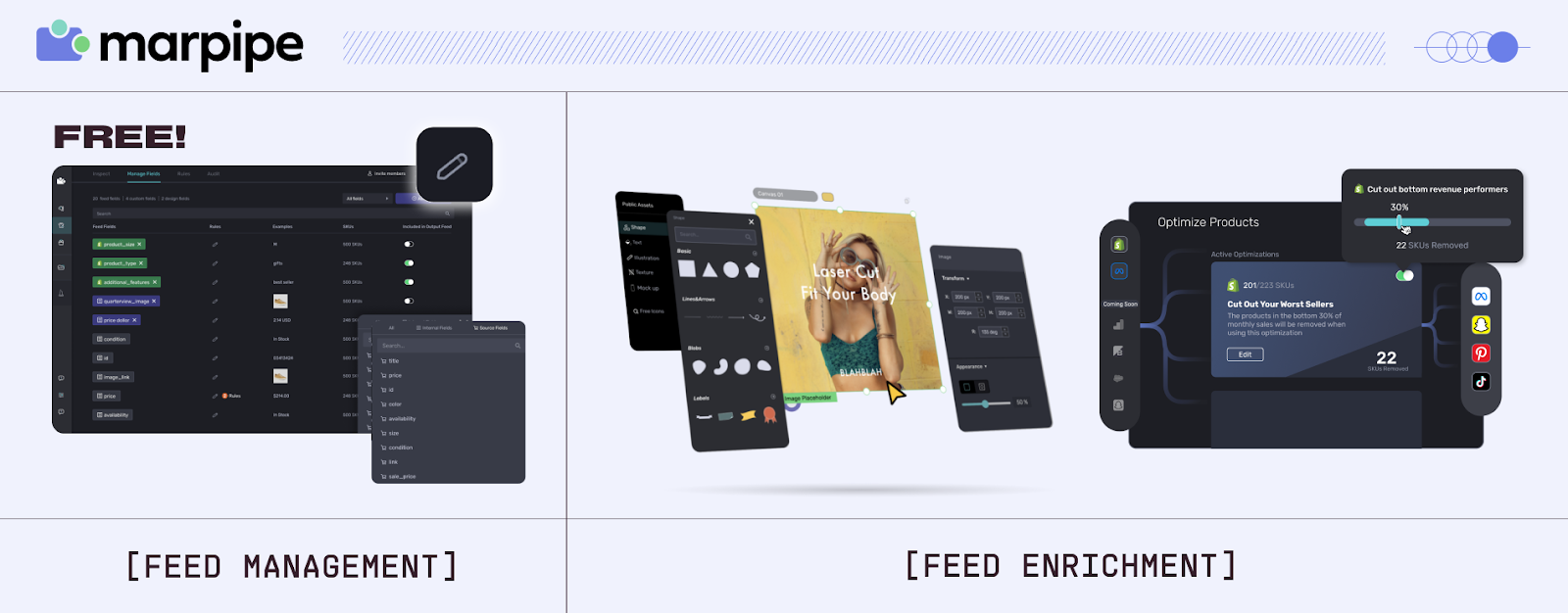
- Organize products with our 100% free feed management platform
- Deploy across platforms : TikTok, Meta, Google, Pinterest, and more
- Create enriched catalog ads designed specifically for social commerce
- Test creative variations to find what resonates with TikTok's audience
Plus, brands using Marpipe's enriched catalog ads see an average 53% ROAS increase compared to standard product feed ads by transforming generic product listings into scroll stopping advertisements.
Ready to dominate TikTok Shopping and catalog ads? Start with Marpipe's free feed management or schedule a demo to see how we help brands maximize social commerce performance.
Learn about other product feeds: Explore our articles on Instagram Product Feed, Facebook Product Feed, Amazon Product Feed, and Bing Shopping Feed.
FAQs
What’s the difference between TikTok Shop and TikTok catalog ads?
Think of TikTok Shop as your little storefront inside TikTok. People can scroll, click, and buy right there without leaving the app. Catalog ads are the paid side — they grab your product feed and push dynamic ads to the exact audiences you want. Same feed, different vibe. Shop is organic, catalog ads are paid.
Do I need to be a TikTok creator to use TikTok Shopping?
Nope. You don’t have to be dancing your way to virality to sell on TikTok. What you do need is a TikTok for Business account and to meet the basic requirements (like follower thresholds, which change depending on the market). Having some organic presence helps, sure, but plenty of brands just run their own Shop and then team up with creators to get reach.
Can I use my Google Shopping feed for TikTok?
You can, but don’t just drag and drop. TikTok accepts similar formats, but it has its own quirks. If you want ads that actually perform, you’ll need to tweak for TikTok specifically. The smart move is to run your feed through a management tool that reshapes it for TikTok instead of throwing your Google feed in raw.
How important are product videos for TikTok feeds?
Massive. TikTok is a video platform. Products with video content crush those without. It’s not technically required, but if you add product videos to your feed, either with the video_link attribute or by uploading directly, you’ll see way better engagement and conversions. Static images alone feel flat here.
What image aspect ratio works best for TikTok product feeds?
Square images (1:1) are safe. They’ll work everywhere across TikTok Shopping. But vertical images (9:16) are the real winners in ads and LIVE Shopping because they fill the mobile screen naturally. Best play? Use both. Add verticals with the additional_image_link field so you’ve got versatility baked in.
