


If you run Meta catalog ads, Advantage+ Shopping Campaigns (ASC) have likely become your default, or they're about to. Automation is good at what it does, but it changes your job. Most of the levers you used to pull by hand are gone, and the few that remain are what decide whether your campaigns actually perform.
This guide is about getting those levers right: the best practices that move ROAS, how Meta's creative enhancements help and where they work against you, the common mistakes that cap performance, and the one input that stays entirely yours, your creative.
What is Meta Advantage+ Shopping Campaign?
Advantage+ Shopping Campaigns (ASC) is Meta's automated, AI-run campaign type built to drive sales. Instead of you hand-building audiences, ad sets, and placements, you hand Meta a budget, your creative, and a few inputs, and its AI decides who sees the ads, where, when, and which version of your creative to serve to each person.
Think of it as the difference between driving and giving directions. In a traditional manual campaign, you steer everything: you pick the interests, build the audiences, split test ad sets, and set budgets per group. In ASC, you set the destination (a sale) and the algorithm drive you to the goal. Meta's system tests your creative against its entire eligible audience, finds the people most likely to buy, and pushes budget toward whatever is working in real time.
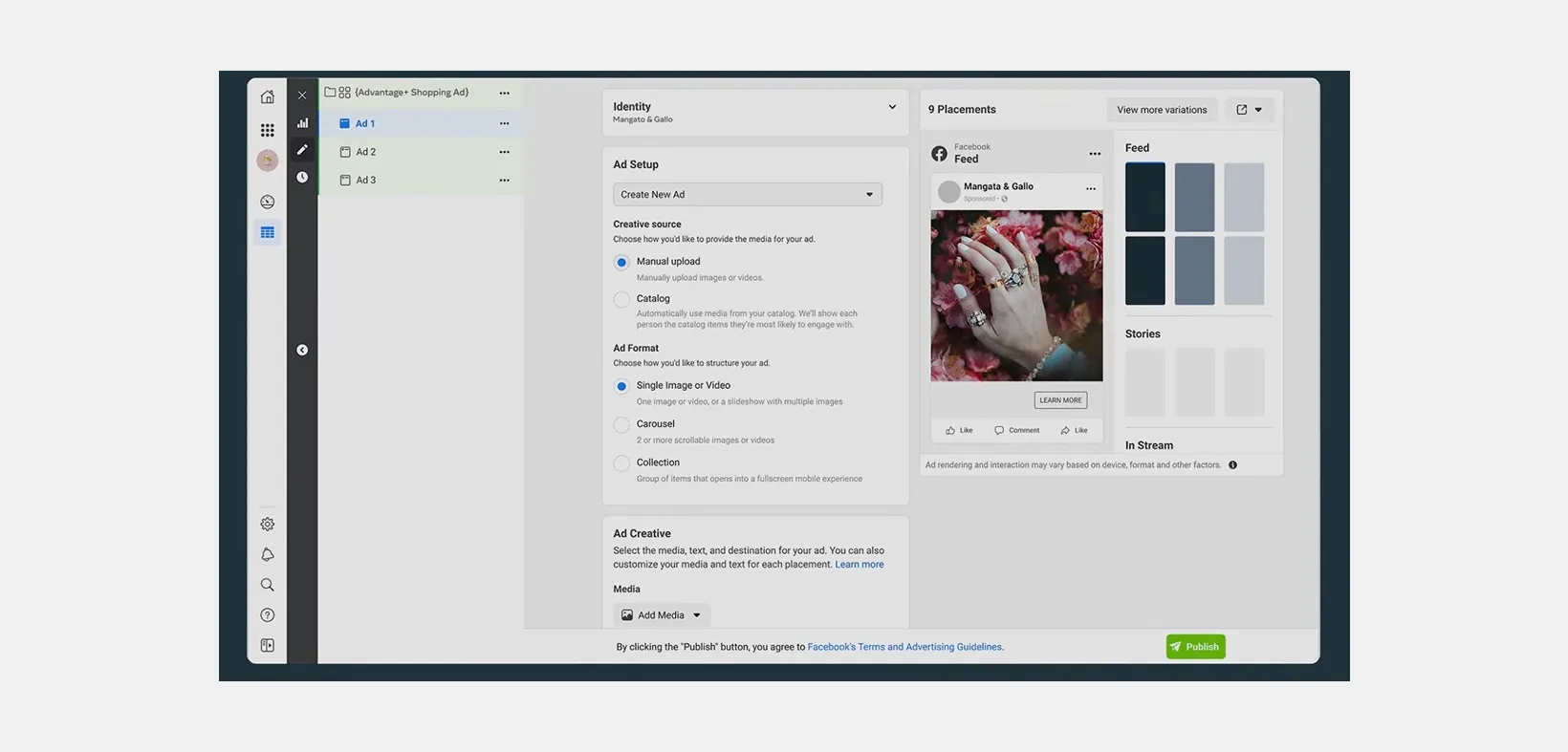
What ASC actually controls for you:
- Audience: No manual interest stacking. The AI finds buyers across Meta's full network, including people you would not have thought to target.
- Placements: Feeds, Stories, Reels, Marketplace, and more, chosen automatically per person.
- Budget allocation: Spend flows to the creative and audiences that convert, without you splitting it by ad set.
- Creative selection: Out of everything you upload, the system shows each person the asset they're most likely to respond to.
Best Practices with ASC for Maximum Impact
Getting an Advantage+ Shopping Campaign live is the easy part. Getting it to perform is where most brands fall short, usually by fighting the automation instead of feeding it well. The four practices below are what reliably move ROAS once your campaign is running.
1. Feed it as much creatives as you can
ASC tests creative against buyers at a scale you can't match by hand. Give it three ads and it has nothing to choose between, so it can't find your winners.
Load a deep, varied set of assets so the system has real options to optimize across:
- Multiple formats: Static images, video, carousels, and collection ads in the same campaign.
- Multiple angles: Different hooks, value props, and offers, not five versions of the same idea.
- Multiple designs per product: Lifestyle shots, product-on-white, text overlays, and seasonal variants.
Producing that volume by hand is where most teams stall, and it's the gap Marpipe is built to close. You design a branded template once, and Marpipe applies it across your entire catalog, generating dozens of on-brand variations per product automatically. That turns "upload more creative" from a design bottleneck into a few clicks, so ASC always has a deep pool of designed assets to optimize from instead of a handful of one-offs.
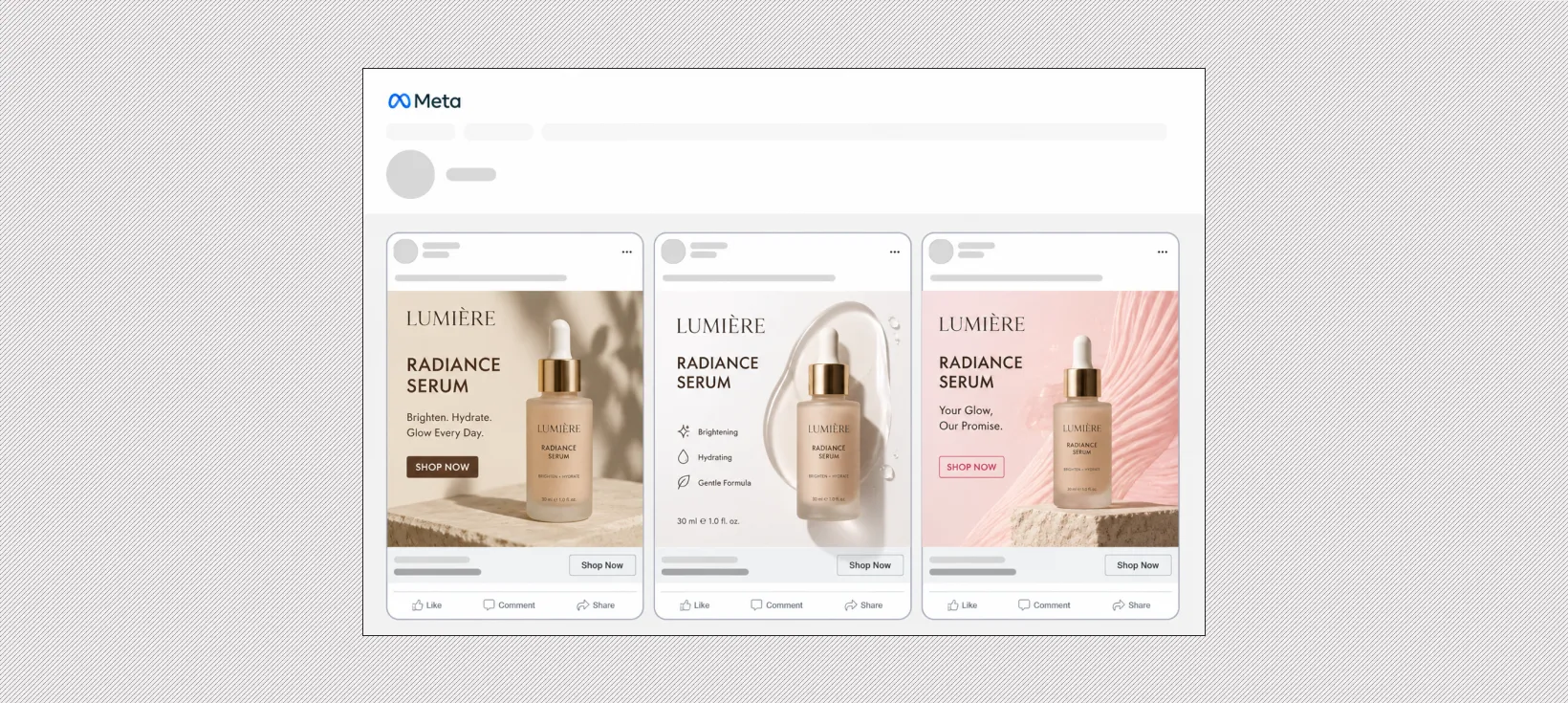
ASC decides who sees an ad and when. The creative you upload decides whether that person buys. The deeper and more designed your asset pool, the more the system has to optimize with.
2. Consolidate your structure instead of fragmenting it
The instinct from manual campaigns is to split everything into neat buckets: one campaign for prospecting, one for retargeting, one per product line. ASC works the opposite way. It learns fastest when budget and conversions pool into one place, because the system needs volume to exit the learning phase and optimize confidently.
Running five small ASCs side by side starves each one and makes them compete for the same audiences, driving up your own costs. Keep the structure simple and let a single well-funded campaign carry the weight before you spin up a second.
3. Clean up your product feed before you scale
ASC pulls directly from your catalog, so a messy product feed caps your results no matter how good the creative is. Run through the basics before you increase spend:
- Every active product has a clear title, accurate price, and in-stock status.
- Product images are high resolution and not cropped or pixelated.
- Your pixel or Conversions API is firing clean purchase events that match the catalog.
- Product categories and IDs are consistent so the system maps ads to the right items.
Branded, designed templates layered on top of a clean feed are what stop your catalog ads from looking auto-generated, which is where most competitors stop.
4. Give it room to learn before you judge it
ASC needs roughly 50 conversions to exit the learning phase, and delivery looks rough until it gets there. The most common mistake is killing or heavily editing a campaign on day two, which resets that learning and sends you back to the start.
Let the data accumulate before you act:
- Avoid major edits (budget swings, creative swaps, targeting changes) during the first 7 days.
- Judge performance on a full week of stable delivery, not the first 48 hours.
Once it's out of learning and stable, optimize by refreshing creative and feeding in new variations rather than tearing the campaign down.
What are Advantage+ creative Enhancements?
Advantage+ creative enhancements are a set of automatic tweaks Meta applies to your images and videos to make them more likely to get a reaction. They run inside Ads Manager and Meta Business Suite, work across campaign types including ASC, and many are turned on by default. You can turn any of them off, and which ones are available depends on your ad format, placements, and whether you're using a catalog.
The enhancements fall into a few practical groups:
- Media edits: Adjust brightness and contrast, image and video touch-ups, and visual touch-ups that clean up the asset you uploaded.
- Generative AI media: Background generation, image generation, add animation, and video effects that create or substantially change visuals. These carry an "AI" label in Ads Manager.
- Text: Text generation, text improvements, translations, dynamic descriptions, and CTA enhancements that rewrite or expand your copy.
- Format and layout: Flex media, layout details, carousel card highlighting, and end cards that change how the ad is assembled per placement.
- Engagement features: Product tags, store locations, sticker CTAs, and relevant comments pulled into the ad.
Which to keep on, and which to watch
The low-risk enhancements are the ones that polish without reinventing. Brightness and contrast, video subtitles, and translations rarely hurt and often help, so leaving them on is usually safe.
The ones to watch are the generative AI media features. Background generation and image generation can change your product's setting, color balance, or framing, and the result may not match how your brand actually presents itself. Review what these produce before you let them run at scale, and turn off anything that distorts the product or the look you've built.
The catch with auto-enhancements
These features optimize for engagement, not for your brand. That's the core tension. Meta's system will happily swap a background or rewrite a line of copy if it predicts a better click rate, even when the change pulls the ad off-brand. For one-off ads that's a minor risk. Across a large catalog, small automated changes compound into a feed of ads that no longer look like you.
Use the safe enhancements as a finishing layer, but own the creative underneath. Control the design, branding, and core message yourself, then let the lightweight enhancements polish rather than redesign. That keeps the consistency of a designed catalog while still benefiting from Meta's optimization.
Ads created or materially edited with certain generative AI features may show an AI label or include AI info in the ad's three-dot menu. Some regulated categories also don't get full access to these features, which is worth checking if you advertise in finance, health, or similar verticals.
Common Mistakes and Myths About ASC
Most ASC underperformance traces back to a handful of misconceptions, not the tool itself. Here are the ones that cost brands the most, and what's actually true.
"ASC is set it and forget it"
ASC automates delivery, not your whole account. It will adjust bids, placements, and budget on its own, but it won't refresh stale creative, fix a broken feed, or notice when performance quietly slides. The brands that win treat it as a system to feed and monitor, not a switch to flip and walk away from.
"ASC replaces the need for good creative"
This is the most expensive myth. ASC decides who sees an ad and when, but it can only optimize from the assets you upload. Hand it one bare product image and there's nothing to optimize. The automation raises your ceiling on reach, never on creative quality, so creative stays your job.
"Broad targeting just wastes budget"
The instinct from manual campaigns is to narrow the audience with stacked interests. ASC works the other way. It's built to find buyers across Meta's full network, and boxing it into a small audience usually limits the data it needs to perform. Give it room:
- Let it go broad: Trust the system to find converters rather than pre-filtering by interest.
- Use exclusions, not cages: Carve out existing customers or irrelevant segments instead of hand-picking a narrow target.
"Turning on every AI enhancement makes ads better"
Meta's Advantage+ creative enhancements (background generation, image variations, text tweaks) are on by default in many accounts, and they're not automatically a win. They optimize for engagement, which can pull an ad away from your brand look and message. Review what's enabled, keep the enhancements that help, and turn off the ones that distort your creative.
"If results dip, restart the campaign"
A performance dip usually means creative fatigue, not a broken campaign. Tearing it down resets the learning phase and sends you back to the start. The fix is to feed in fresh variations while the campaign keeps running, so you fight fatigue without losing everything ASC has learned.
Getting the Best ROI From Your ASC Campaigns
ASC decides who sees your ads and when, but it can only optimize from the creative you give it. The automation sets the ceiling on reach; your creative sets the ceiling on conversion. Feed it bare, auto-generated product images and the AI has little to work with. Feed it strong, branded, well-designed variations and you give that same AI far better material to win with.
That gap is the whole reason your ad creatives matters. ASC needs a deep pool of strong, on-brand options to choose from, and building that pool by hand across a large catalog doesn't scale.
Marpipe gives you full design control over every SKU in your catalog.

With Marpipe you can:
- Generate at catalog scale: Build branded, designed creative across your entire product catalog from dynamic templates, instead of designing ads one at a time.
- Test to find winners: Produce and compare hundreds of variations so the best-performing assets are always the ones ASC is optimizing against.
- Stay on brand: Apply your colors, logo, and messaging across every product ad, so your catalog ads look intentional rather than auto-generated.
The split is simple. ASC decides who sees your ads and when. Marpipe gives it the creative that decides whether they buy. Pair the two and you're feeding Meta's automation its best possible input rather than asking it to win with bare product images.
If you want to see how this works on your own catalog, book a demo here →
