


If you’ve ever run product ads or shopping campaigns and wondered why some products barely show up while others seem to thrive, the answer often lies in your product feed. A feed audit doesn’t just fix errors. It uncovers opportunities for better visibility, fewer disapprovals, and stronger performance in ads and search.
A product feed audit is a systematic look at your feed data with the goal of finding issues, cleaning up inconsistencies, and optimizing how products are presented to platforms like Google, Meta, Amazon, TikTok, and others. Think of it as a health check for the foundation that powers most of your ecommerce distribution and dynamic advertising.
Why does this matter? A clean, optimized feed feeds platforms the right signals so your products show up where customers are actually looking. In the algorithmic world we live in, a messy feed is like giving your competitor an advantage.
What a Product Feed Audit Actually Is
At its core, a feed audit involves reviewing the data that makes up your product feed to ensure it is:
- Accurate (no mismatched prices or inventory errors)
- Complete (all required fields are filled out)
- Well-structured (attributes follow platform guidelines)
- Consistent across channels
Audits help spot errors like missing titles, incorrect pricing, broken image links, inconsistent identifiers like SKUs or GTINs, and category mismatches that can lead to disapprovals or poor performance.
It’s a bit like proofreading before publishing a book; if errors sneak in early, the problems cascade into every channel where your products appear.
Why Feed Audits Matter for Ecommerce Performance
Feed errors might feel like back-office technicalities, but they have real consequences:
- Visibility issues: Search engines and ad platforms may not show products that have malformed or incomplete data.
- Ad disapprovals: Platforms reject listings that violate policy or formatting requirements, which pauses visibility.
- Poor matching: Platforms have to interpret your product data to match user intent. Bad data means poor matches and wasted spend.
- User distrust: Wrong pricing or outdated stock signals confuse customers and hurt conversion.
A regular feed audit helps you catch and fix these issues before they hurt performance.
When Should You Audit Your Feed?
Ideally, feed audits are part of your ongoing management routine, not a one-off fix. Typical triggers for an audit include:
- Adding thousands of new SKUs
- Launching in new channels (e.g., Google Shopping, Meta Catalogs, TikTok)
- Noticing increased ad disapprovals
- Seeing drops in visibility or ROAS
- Major changes in pricing, inventory, or product taxonomy
Audits uncover not just errors but also opportunities for optimization. You might find, for example, that adding descriptive keywords to product titles boosts relevance for search and ads.
Practical Steps in a Product Feed Audit
A product feed audit doesn’t have to be overwhelming. You can start with a few practical, actionable checks.
1. Check for Required Fields and Compliance
Different platforms have different field requirements. A common mistake is assuming a feed that passes validation is optimized. Passing a minimum check doesn’t mean the data is rich or useful.
Look closely at:
- Titles and descriptions
- Price accuracy
- Inventory levels
- Product identifiers like GTIN or SKU
These fields are the engines that drive visibility and matching in both paid and organic surfaces.
2. Review Feed Naming and Structure
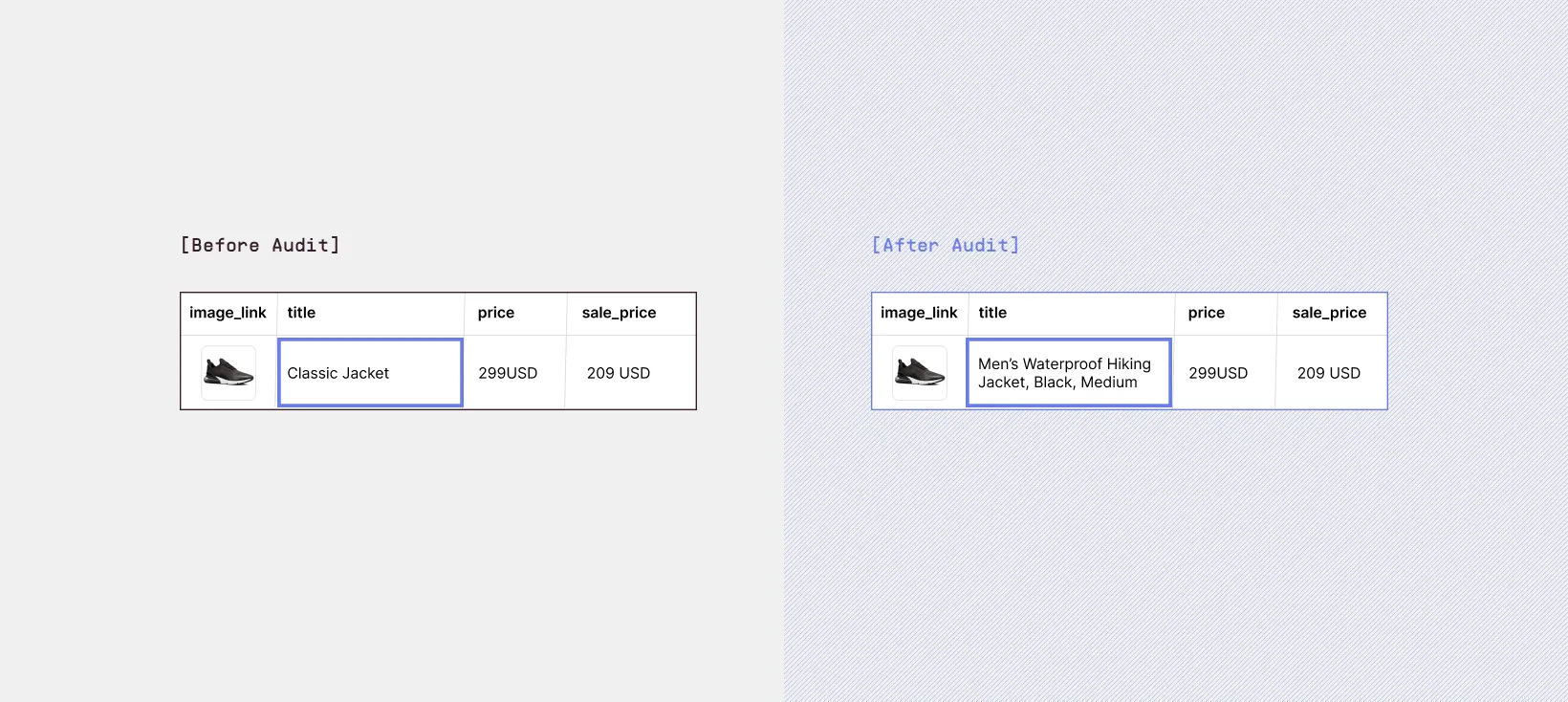
Product titles and descriptions do more than organize data; they influence how platforms match products to queries and ads. Titles that are too generic (“Leather Jacket”) are less likely to match specific shopper intent than titles that include descriptive attributes (“Men’s Leather Moto Jacket – Black, Medium”).
Look for opportunities to:
- Include relevant qualifiers (size, color, material)
- Use consistent naming conventions
- Align categories with platform logic
This kind of structural clarity improves relevance and performance.
3. Validate Images and Media
Broken or low-quality image URLs are a silent killer in feeds. If platforms can’t retrieve images or if they are repetitive or blurry, products lose impressions and clicks. A quick audit parameter here is:
- Image count per SKU
- Resolution checks
- Consistency with product variation
High-quality, consistent visuals matter even before someone clicks.
4. Test and Preview Feed Output
Most feed management systems let you preview what your product feed looks like to each destination. Use those previews to verify how your products would actually display on platforms like Meta or Google Shopping. Don’t just assume it’s correct because it “looks right” in your system.
These preview checks help catch:
- Formatting glitches
- Misaligned attributes
- Platform-specific logic misses
that don’t show up in a generic view
Regular previewing lets you fix issues before they cost impressions.
Common Pitfalls Audits Reveal
Feed audits often uncover issues that seem small but have big effects. These include:
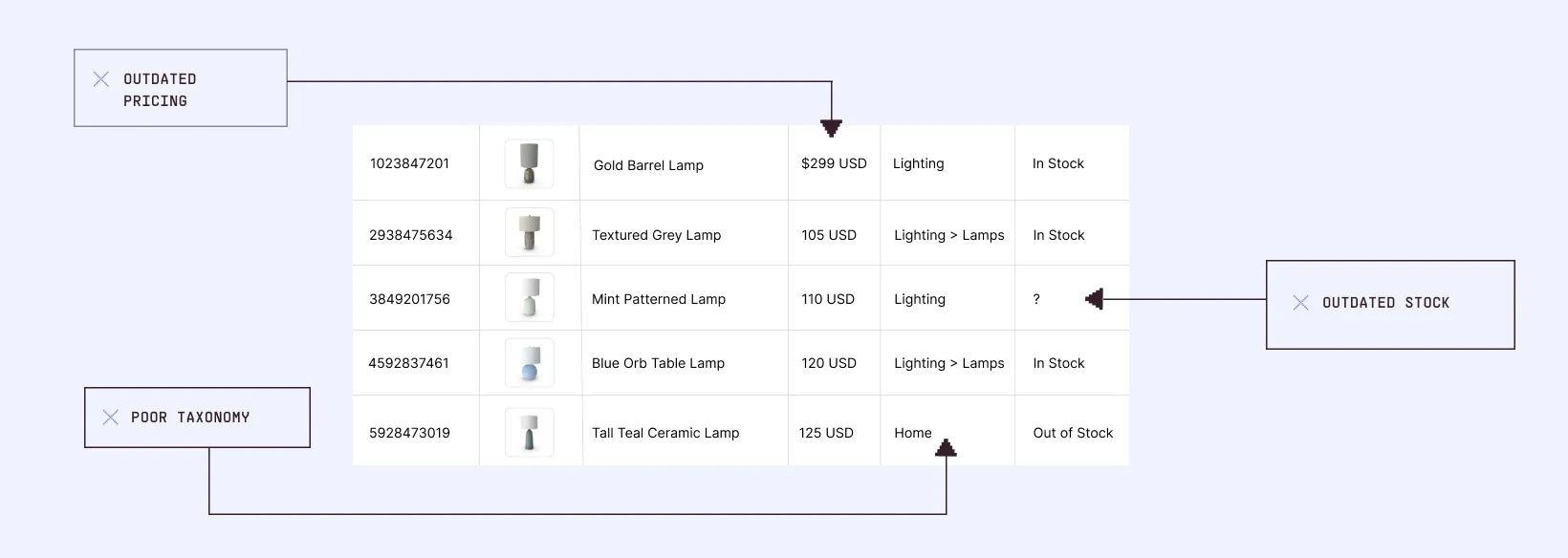
- Inconsistent product identifiers that cause mismatches across platforms
- Missing optional fields like brand or category hierarchy
- Poor taxonomy that makes discovery harder
- Bad variants or size/color groupings that confuse platforms
- Outdated stock or pricing that leads to disapprovals or mismatches
These aren’t always obvious until you look for them, especially as catalogs grow.
Best Practices for Feed Audits
Beyond the basics, there are a few practices that make ongoing auditing more effective:
- Automate daily or weekly checks for key errors
- Use conditional logic or rules to catch inconsistencies before they propagate
- Track historical changes so you can spot trends in data quality
- Benchmark against previous audits so you know if improvements stick
Tools that automate validation and highlight problematic records save a lot of time and reduce human error.
Feed Audits as Part of Performance Optimization
A feed audit is not just a technical exercise. It’s part of performance optimization. Feed quality determines not just whether products show up, but how well they match against shopper intent in ads and discovery surfaces.
When you audit and optimize regularly, your feed does more than remain compliant; it becomes a performance engine that fuels deeper impressions, better matches, and stronger ROAS.
This shift in mindset, from operational maintenance to performance optimization, is what separates average ecommerce outcomes from high-growth ones.
Where Marpipe Fits After Your Feed Audit
A clean, audited feed gives platforms exactly what they need: accurate, structured product data that improves eligibility and visibility. But once that foundation is in place, performance depends on something else, whether your ads are compelling enough to make people stop scrolling.
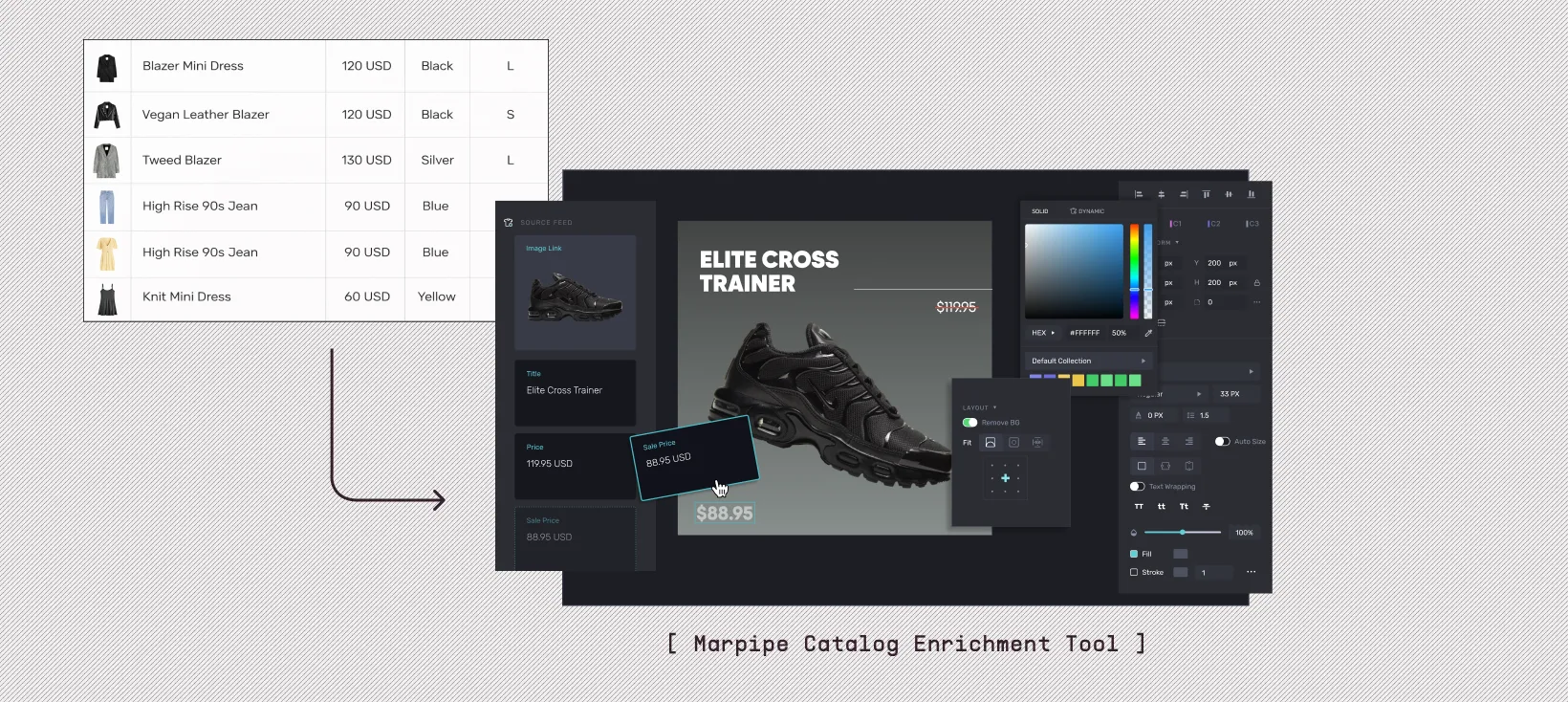
This is where Marpipe adds the next layer. It takes strong feed data and turns it into large volumes of testable catalog ad creative, automatically connecting product attributes to creative elements and testing variations at scale, so platforms learn faster what resonates.
Feed audits set the stage by fixing errors and aligning data with platform expectations. Marpipe helps teams capitalize on that work by converting clean data into dynamic, high-performing ads without manual rebuilds. Together, clean feeds and creative volume turn basic ecommerce execution into campaigns that consistently outperform. Book a demo today!
FAQs
What is a product feed audit?
A product feed audit reviews your product data for accuracy, completeness, and compliance so it performs well across platforms and ads.
Why should I audit my product feed regularly?
Feeds change over time, and regular audits help catch errors, improve performance, and reduce disapprovals.
What common issues do feed audits uncover?
Things like missing attributes, incorrect pricing, bad image URLs, and mismatched identifiers often show up in audits.
How do feed audits help ads?
They improve relevance and visibility by feeding platforms accurate and structured data, which helps dynamic product ads perform better.
Where does Marpipe fit in after a feed audit?
Marpipe uses your audited feed to generate and test creative variations at scale, helping improve ad performance with better visuals and messaging.
