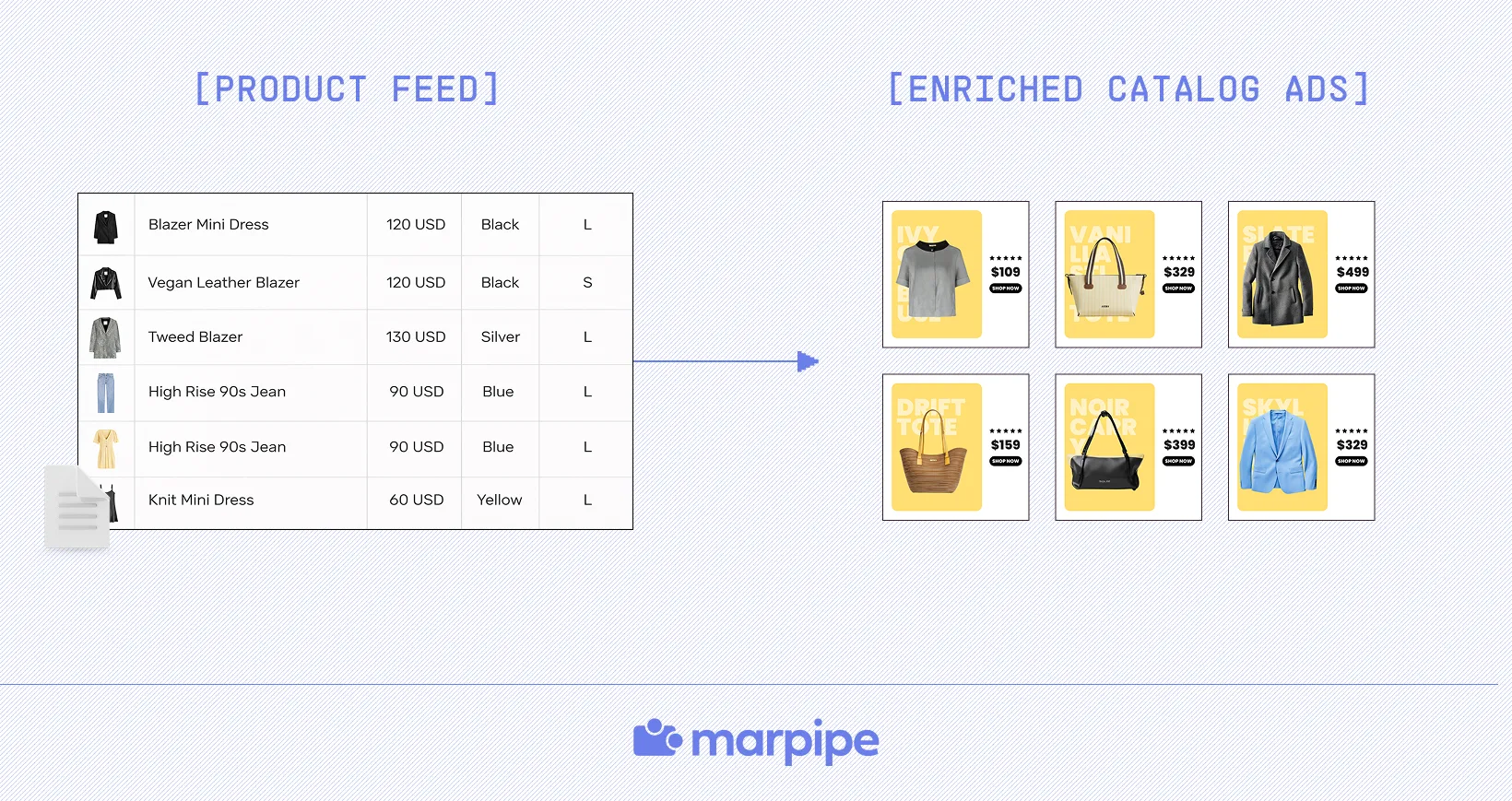

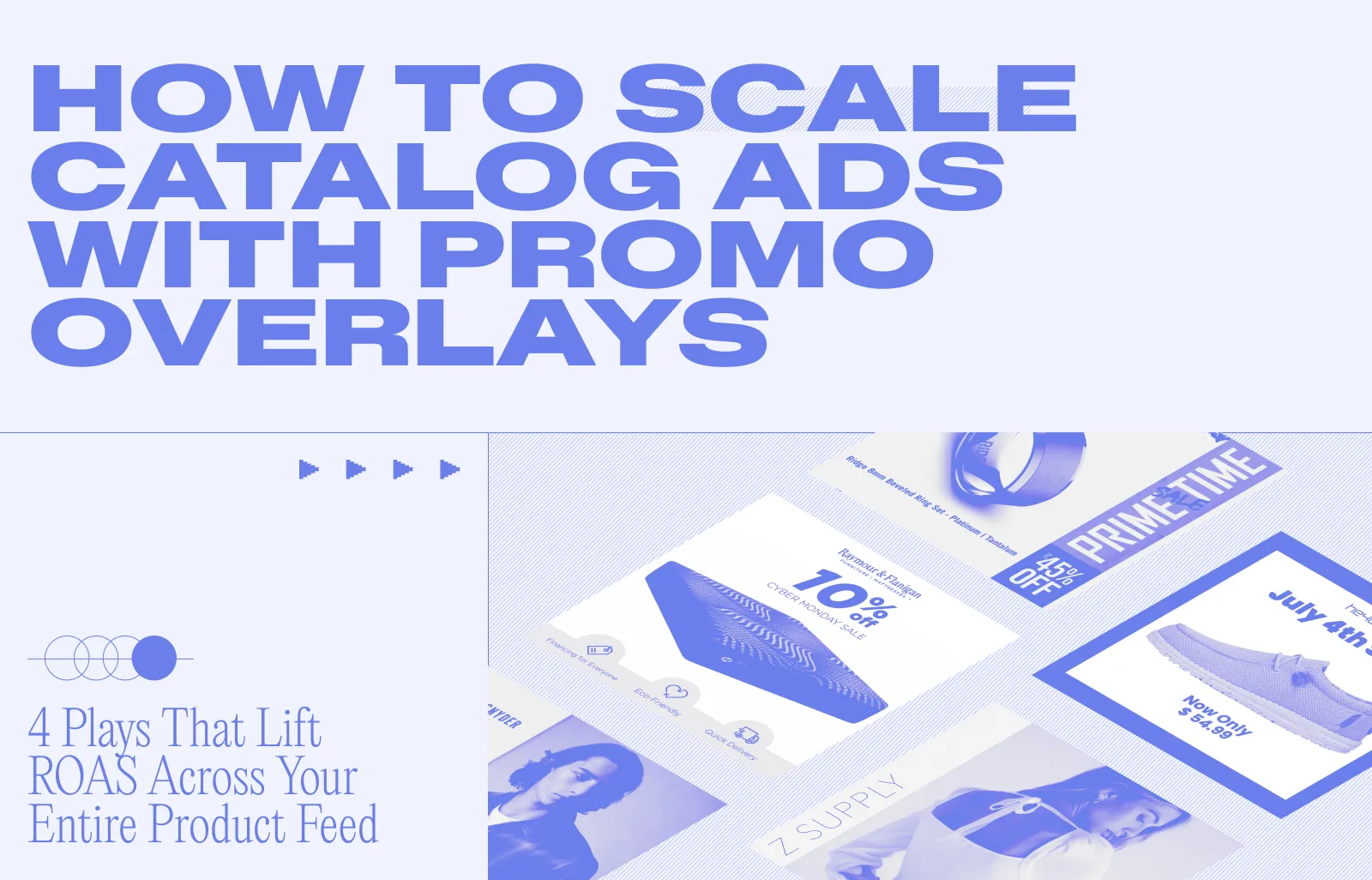
If you're running Meta catalog ads (also called dynamic product ads or DPAs) and your creative still looks like the default, like a product on a white background with a price label, you're leaving ROAS on the table. The product feed is doing the scaling. The creative isn't doing the selling.
In our recent webinar, Hacking Promos: Scaling Catalog Ads, Marpipe CEO Daniel Pantelo and Design Strategist Austin Alexander walked through the four promo overlay plays e-commerce brands are using to turn standard Advantage+ Catalog Ads into the highest-converting placements in their account.
The webinar replay is linked at the end of this post, so you can watch Dan and Austin fix common issues with catalog ads in real time.
If you missed it live, here's the full playbook, including which promo type to pick, when to use it, and how to deploy it across thousands of SKUs without rebuilding your feed.
Why Plain Facebook Catalog Ads Underperform (And What Promo Overlays Fix)
Catalog ads (whether you call them dynamic product ads, DPAs, or Advantage+ Catalog Ads) are the single highest-spend ad type for most e-commerce brands on Meta. They pull straight from your Meta product catalog, render thousands of SKUs automatically, and let Meta's algorithm pick which product to show which shopper. That's the scaling part, and it works.
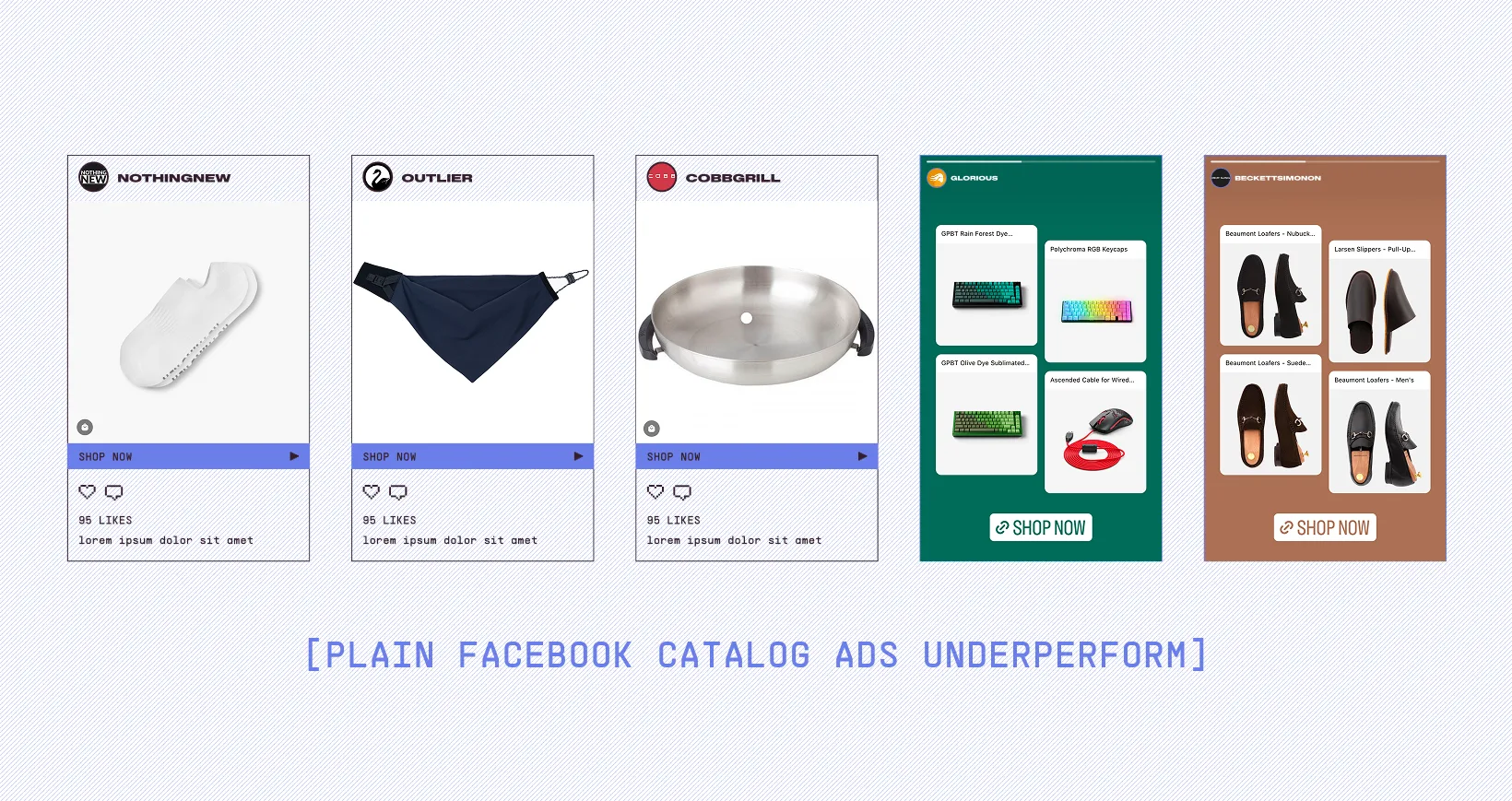
The problem is that everyone's catalog ads look the same. Same white background, same auto-generated price overlay from Meta's basic dynamic overlay tool. Same forgettable scroll-past creative. When the entire feed looks identical, your product becomes a commodity.
We opened the webinar with two head-to-head A/B tests where the only variable was the promo overlay on the creative:
- Into The AM ran a basic catalog ad against the same ad with a "60% OFF" promo overlay layered on top. The promo version won.
- Lane Bryant tested a default DPA against one with a "Friends & Family Event — 55% OFF" overlay treatment. Same result.
The lesson isn't “discounts beat full price.” That's not news. The lesson is that promotional context is creative context. A static price isn't a hook, but a countdown or a discount code is. A per-SKU “save 41%” call-out is even better. Catalog ads have always been able to scale; what they've been missing is the creative layer that makes any one impression actually convert.
The Key to Scaling Catalog Ads: Design Once, Deploy Across Every SKU
Before getting into the four promo overlay plays, here's the principle underneath all of them: build the creative template once, and Marpipe applies it to every product in your feed automatically.
In the live demo, Austin built a single template for Coreform: a "25% OFF SITEWIDE" tank top ad with a strikethrough price. From that one template, Marpipe generated finished catalog ads for 13+ SKUs across pants, tees, sweaters, polos, hoodies, and shorts. Every product pulled its own image, its own base price, and its own discounted price (calculated dynamically inside the canvas. No spreadsheet math required for you or your customer).

This is what Meta itself recommends: 20–50 unique creatives per product to give the Advantage+ algorithm a wide creative surface to optimize against. Most teams can't produce that volume by hand. The four promo plays below are creative ideas, but note that they're only practical at catalog scale because the design is decoupled from the SKU.
The 4 Promo Overlay Plays for Catalog Ads
1. The Simple Promo Banner (Best for Sitewide Sales)
Use it for: Brand-wide sales, seasonal pushes, BFCM, anything where a single offer applies across your full product feed.
The lowest-lift play on the list. Design a banner, like “Spring Splurge: 30% OFF,” or whatever the offer is, and drop it onto the canvas above your existing catalog template. Talbots used this exact pattern: clean banner up top, dynamic product render below, done.
It works because it pairs cleanly with the text-based ads you're already running, and because the banner asset is reusable across the entire catalog. One upload, every SKU in the feed gets the treatment, full Advantage+ Catalog campaign refreshed in minutes.
2. The Countdown Timer Overlay (Best for Driving Urgency)
Use it for: anywhere urgency drives the conversion: End-of-sale pushes, BFCM and Cyber Week, launch windows, flash sales.
This is the promo overlay with the most psychological lift, because it's tapping FOMO and scarcity at the moment of the impression. Layer a live countdown into the catalog ad creative, like “End of Year Sale: ONLY 6 DAYS LEFT — SAVE $1,316,” and the number ticks down automatically each day the ad is in market. Six days, then five, then four, then "Sale Ends Today."
You're not just running a sale; you're running a clock. And because the countdown updates inside the creative itself, you don't need to stop, swap, and relaunch ads as the deadline shifts (which would reset Meta's learning phase and tank your ROAS). Set the end date, end time, and timezone once, and the whole flight handles itself.
3. The Percent-Off Overlay (Best for Mixed Discounts)
Use it for: Catalogs where some items are 20% off, some 40% off, some 60% off, or any mixed-margin sale.
This is where dynamic overlays earn their keep. New Chapter ran a vitamin catalog ad with a per-product "SAVE 41%" call-out. It’s not a sitewide flat rate, but the actual discount percentage that specific SKU was running, pulled directly from the feed.
If your sale isn't uniform across the catalog, this is the treatment to use. Customers see exactly what they save on the specific item Meta is showing them, which is more credible than a vague "up to 50% off" headline and more flexible than a sitewide flat number that locks in your margin strategy. It also pairs well with strikethrough price overlays for a one-two visual punch.
4. The Discount Code Overlay (Best for Code-Gated Promos)
Use it for: Promos gated behind a code, partner discounts, retargeting offers, influencer-specific drops.
DSW ran one of the cleanest examples we showed: a shoe at $74.99, struck through, with "$56.24" beside it and "25% OFF — Use code SPRINGDEAL" called out on the ad creative. The customer sees the after-code price before they ever reach checkout, which removes the "wait, did the code work?" friction and pulls the conversion forward in the funnel.
The mechanic underneath: a dynamic field modifier in Marpipe (price × 0.75 for a 25% off code) does the discounted-price math for every SKU in your catalog automatically. You're not hand-calculating sale prices for thousands of products; the template does it.
Will These Promo Overlays Work in 9:16 (Stories and Reels)?
Yes. This is one of the most common questions we get, so it's worth its own section.
In the demo, the same Coreform “25% OFF SITEWIDE” template was rendered as a 1:1 catalog ad and as a 9:16 vertical with a “3 DAYS LEFT” countdown overlay for Stories and Reels placements. Same data, same offer, same brand system, two aspect ratios.
Marpipe's MultiTreatment view lets you set up different design treatments per feed and per placement, so a single product feed can power a 1:1 with a sale price + strikethrough, a square with on-figure model imagery and “25% OFF,” and a vertical Reels ad with a live countdown, all in the same Advantage+ Catalog campaign. If you're running Advantage+ Shopping or any cross-placement catalog setup, this is non-negotiable: you should not have to choose which placement gets the good creative.
How to Pick the Right Promo Overlay for Your Catalog Ads
A quick decision tree based on what we saw working across brands:
- Running a sitewide flat discount? Start with the Simple Promo Banner. Lowest lift, broadest applicability, fastest to deploy.
- Time-bound flash sale or end-of-season push? Add a countdown timer overlay. The urgency is doing real work in the creative.
- Mixed discounts across the catalog? Use the Percent-Off Overlay. Per-SKU honesty beats sitewide vagueness, and converts better.
- Code-gated or partner promo? Use the Discount Code Overlay. Don't make the shopper do the math.
You can also stack them. The DSW example is essentially #3 + #4, strikethrough price and a code. Coreform's Reels version was #2 + the sitewide framing of #1. The hack is that the plays aren't mutually exclusive, they're modular.
What This Means for Your ROAS
Brands using enriched, on-brand catalog ad creative consistently outperform default DPAs. Across our customer base, we see an average ~20% lift in their catalog ads when teams move from Meta's stock dynamic overlay tool to fully designed promo creative, and brands like Vera Bradley, SABO, Simple Modern, Ridge, and Raymour & Flanigan have posted ROAS lifts ranging from 52% to 112% on the exact same product feed.
If you're running catalog ads on Meta and your creative looks the same as it did six months ago, one of these four promo overlay plays is almost certainly worth a test this quarter.
FAQ: Catalog Ads and Promo Overlays
What's the difference between catalog ads and dynamic product ads (DPAs)?They're the same thing. "Dynamic Product Ads" was Meta's original name; "catalog ads" is the term Meta uses today. Both pull from your Meta product catalog to render personalized ads automatically. Advantage+ Catalog Ads is Meta's automated version of the same campaign type.
Can I add a promo overlay directly in Meta Ads Manager?
Yes. Meta's built-in dynamic overlay tool supports basic price, strikethrough price, percentage-off, and free-shipping labels. But customization is limited (a few shapes, fonts, and colors), and you can't run countdown timers, discount-code overlays, or branded promo banners. That's where third-party creative tools like Marpipe come in.
Do promo overlays work on Advantage+ Catalog Ads?
Yes. Advantage+ Catalog Ads use the same product feed as standard catalog campaigns, so any creative template you build will run inside Advantage+. In fact, Meta recommends 20–50 creative variants per product specifically because Advantage+ uses creative diversity as an optimization signal.
How many SKUs can one promo overlay template apply to?
As many as are in your product feed. We've seen brands deploy a single template across catalogs of 10,000+ SKUs. The template handles the design; the feed handles the data.
Will running promo overlays trigger Meta's learning phase to reset?
No, as long as you're updating the creative within an existing ad set rather than launching new campaigns, you avoid the learning-phase reset. Countdown overlays in particular are designed to update inside the creative itself, so you can run a multi-day sale on a single ad without ever pausing.
Want to see Marpipe build a promo overlay template against your own product catalog? Book a demo. We'll walk you through it on your SKUs, not ours.