



Most story catalog ads fail in the first second, and it usually comes down to one thing. They don’t match the environment. While everything else feels fast, real, and in motion, the ad shows up as a static product that breaks the experience.
Catalog ads are designed for browsing, not for attention. They work when users have time to compare, but Stories and Reels don’t give that time. At Marpipe, we see brands carry over high-performing feed assets expecting similar results, but performance drops quickly. Story catalog ads need to earn attention first. If they feel out of place, they get skipped before they even register.
What Are Story Catalog Ads?
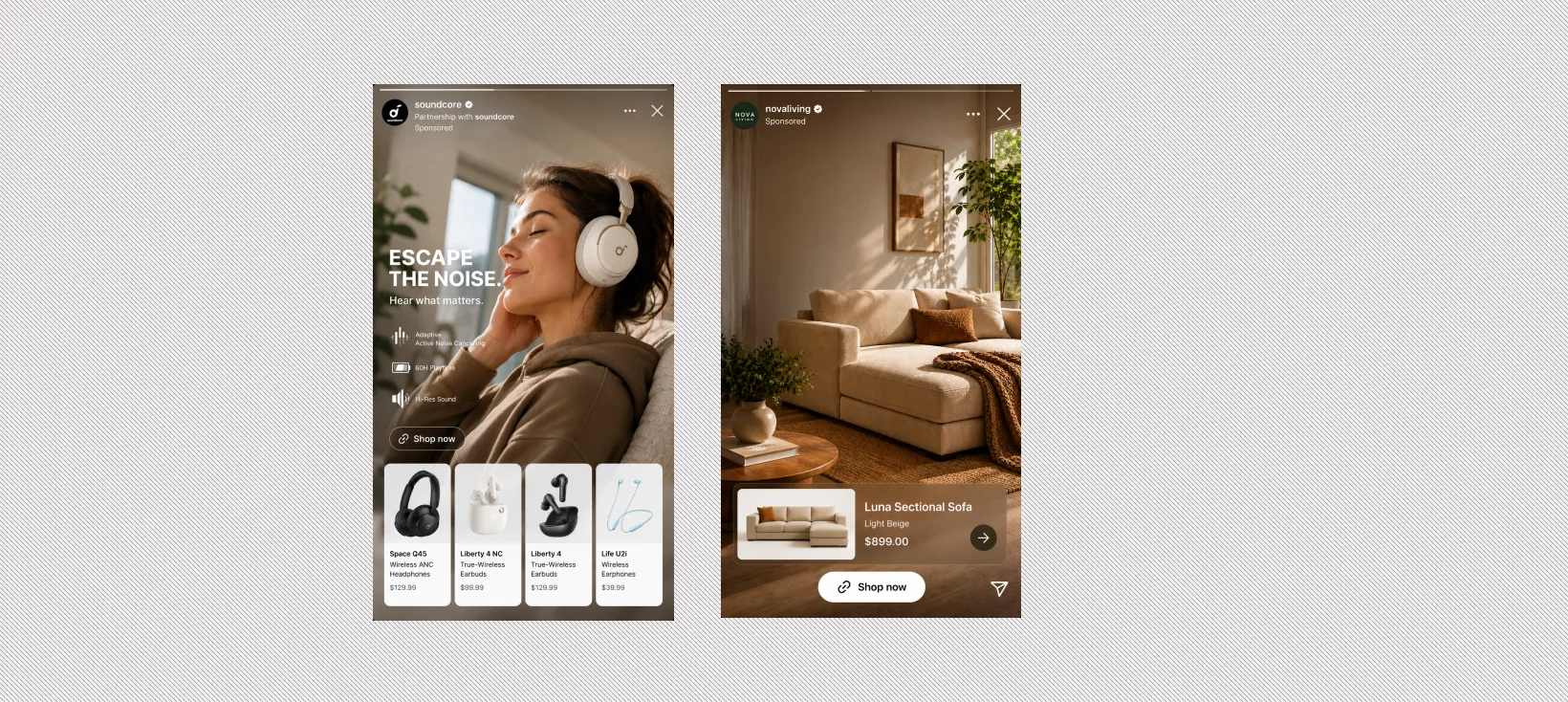
Story catalog ads are dynamic product ads built for vertical, full-screen formats like Instagram Stories, Instagram Reels, Facebook Stories, and TikTok. But instead of dropping in a static product tile, they turn your product feed into short, visual content that actually feels like it belongs.
Here’s what that usually includes:
- Product feed data (image, price, name)
- Motion or short video
- Light overlays like price or promo
- A clear beginning, middle, and CTA
The reason story catalog ads work is simple. People don’t slow down to read, they react to what they see. Visuals land faster than text, motion grabs attention almost instantly, and full-screen formats keep the focus locked in. When a product is shown in context, it clicks right away without extra effort.
That shift also shows up in performance. Ads that match how people already watch and engage tend to drive higher click-through rates and stronger conversions. Traditional catalog ads show the product, while story catalog ads show how that product fits into a moment someone can actually picture.
Why Traditional Catalog Ads Fail in Stories & Reels
Most catalog ads are designed for a slower moment. Someone is browsing, comparing options, maybe even reading product details before making a decision. Stories and Reels work differently. People are not comparing, they are reacting. That shift alone is where most ads lose relevance.
A typical catalog ad expects attention. It assumes the user will pause, scan the product, read the price, and understand the value. In Stories, that pause rarely happens. If the message is not clear instantly, the user moves on without thinking twice.
The format also exposes another weakness. Static product images that look clean in a grid feel disconnected in a full-screen, motion-heavy environment. When everything else is moving and telling a quick story, a still image feels like a break in the experience rather than part of it.
There is also the issue of information overload. Catalog ads often try to show everything at once. Title, price, features, and promotions all compete for attention in a space where users are making split-second decisions. Instead of helping, it creates friction.
The biggest gap, though, is context. A product shown on its own requires the viewer to figure out why it matters. That extra step is enough to lose attention. In Stories and Reels, the value has to be obvious immediately.
A simple way to think about it:
- A static product image shows what something is
- A product in use shows why someone would want it
Story catalog ads need to deliver that second version, fast.
The Core Shift: From Product Feed to Storytelling System
Most teams treat catalog ads as a feed problem. They upload products, clean up titles, and rely on the platform to handle delivery. That approach works in some placements, but it starts to break in Stories and Reels. The shift is moving from a product feed mindset to a storytelling system. Instead of asking how to show more products, the focus becomes how to show a product in a way someone understands instantly. That shift changes how everything is built.
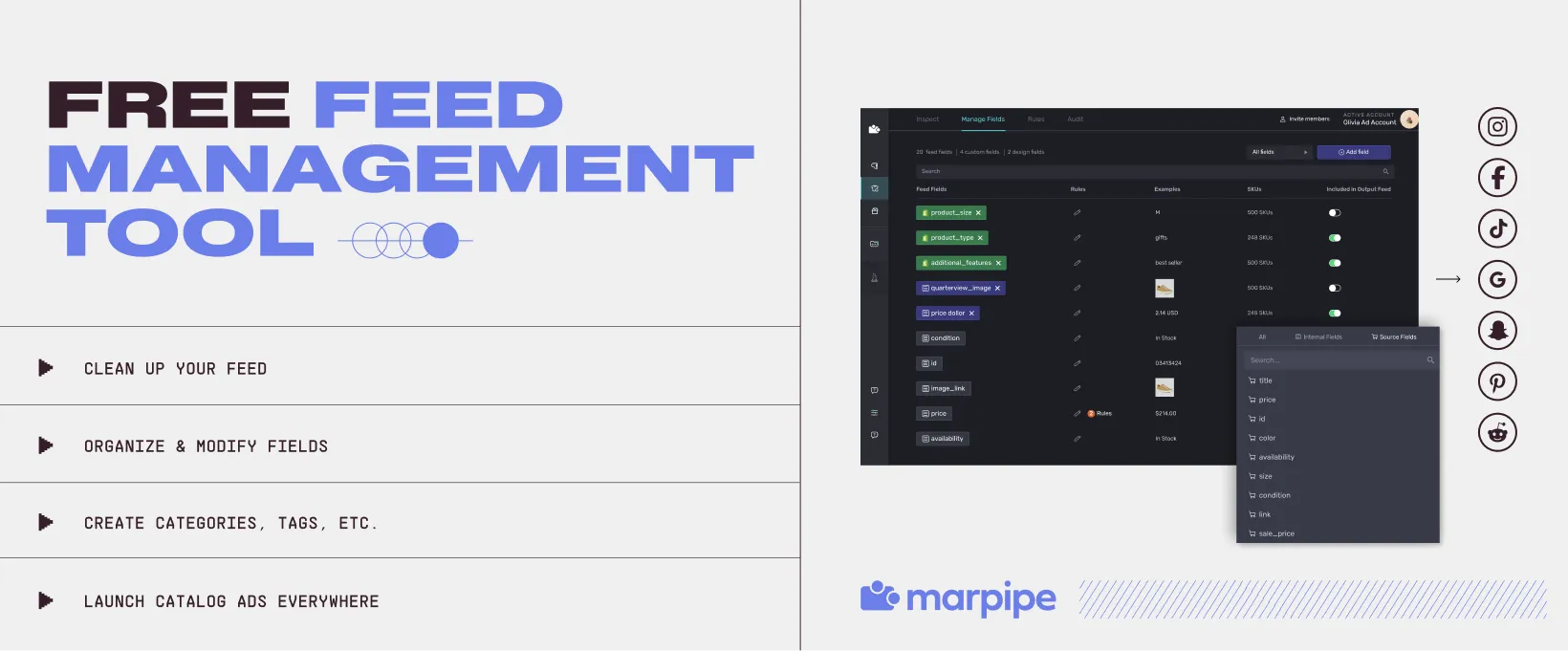
Your product feed is no longer just a backend asset. It becomes the starting point for creative. When you have stronger inputs through tools like feed management, your ads can pull in better visuals, clearer messaging, and more useful context automatically. This matters even more in mobile-first environments, where formats like Stories and Reels dominate. According to Meta’s mobile-first creative research, ads designed specifically for mobile have a 27% higher likelihood of driving brand lift compared to non-optimized formats.
Your ads are no longer designed one by one. They are generated from templates that can adapt across hundreds or thousands of products.
And performance no longer depends on one strong creative. It comes from testing variations at scale and seeing what actually works.
In practice, this means:
- The feed supports creative, not just targeting
- Templates replace manual design
- Variation drives results, not a single version
When this system is in place, catalog ads stop feeling repetitive. They start to feel intentional, consistent, and much easier to scale.
Step-by-Step: How to Adapt Catalog Ads to Stories and Reels
Adapting catalog ads is less about redesigning a single ad and more about changing how your system works. Once the process is set up correctly, you can scale across your entire catalog without slowing down your team.
Here’s how to approach it step by step.
Step 1: Enrich Your Feed Data
Most product feeds are built for accuracy. Titles, prices, availability. That is enough for marketplaces, but not enough for Stories and Reels.
To make your ads work in these formats, your feed needs to support creative.
That means adding:
- Lifestyle images, not just product cutouts
- Short, benefit-driven descriptions
- Product labels like “Best Seller” or “New Arrival”
When your feed includes richer inputs, your ads can communicate value faster without relying on heavy text.
This is where tools like product optimizations become important. They help structure your feed in a way that supports both targeting and creative output.
Step 2: Group Products by Use Case
A product category tells you what something is. A use case tells you why someone would want it.
Instead of building ads around categories, group products based on real situations:
- Daily routines
- Travel setups
- Seasonal moments
This shift makes your ads easier to understand in a few seconds. It also helps your creative feel more like a recommendation than a listing.
When products are tied to a clear use case, the story becomes obvious without extra explanation.
Step 3: Build Repeatable Creative Templates
Designing ads one by one does not scale, especially when you are working with large catalogs.
Instead, create a small set of templates that can be reused across products. Each template should follow a simple structure:
- A strong opening frame to capture attention
- A product moment that shows context
- A clear call to action
With systems like catalog ad creative, you can apply these templates across your entire catalog. This keeps your ads consistent while still allowing variation.
Templates turn creative production into a system instead of a one-off task.
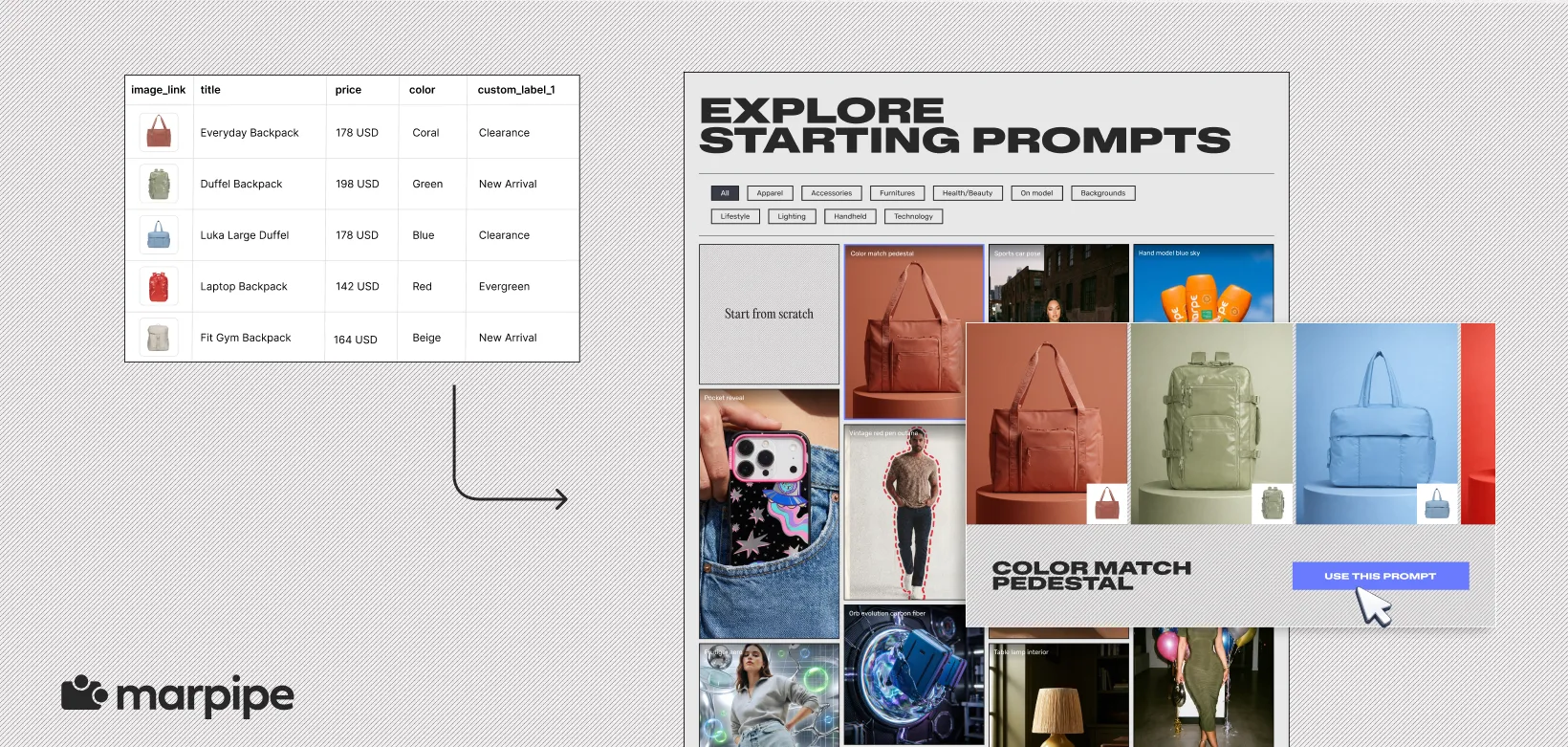
Step 4: Generate Variations at Scale
Performance rarely comes from a single version of an ad. It comes from testing multiple variations and learning what works.
Instead of relying on one format, create variations across:
- Different opening hooks
- Backgrounds or environments
- Overlay styles
- Motion or pacing
Using tools like generative AI, teams can quickly produce multiple creative directions without starting from scratch each time.
Then, with approaches like product-level video, you can turn static images into motion-based ads that feel more natural in Stories and Reels.
How Should You Adapt Story Catalog Ads by Platform?
Not all vertical placements behave the same. Even though Stories, Reels, and TikTok all use full-screen formats, the way people consume content on each platform is slightly different.
If you use the same creative everywhere, performance usually drops. Small adjustments in pacing, style, and structure make a big difference. Here’s a clearer breakdown:
The format may look similar, but the way people engage is not. Adjusting for that is what makes story catalog ads actually perform.
The Future of Story Catalog Ads
Story catalog ads are moving toward a more connected system. Less manual design, more automation, and a tighter link between product data and creative output. What used to take hours of work can now be generated much faster. Product images can turn into motion, backgrounds can be adapted, and multiple variations can be tested without rebuilding each ad from scratch. As these tools improve, the gap between feed and creative continues to shrink.
At the same time, expectations are rising. Users are used to content that feels natural, fast, and relevant, so generic ads stand out in the wrong way. The advantage will go to teams that build systems, not one-off creatives. That means connecting your feed, templates, and testing into a workflow that can scale and adapt over time. Looking ahead, story catalog ads will feel closer to personalized content streams, where products are shown based on behavior, styled for context, and updated continuously.
If your current setup cannot support that level of flexibility, it may be time to rethink how your feed and creative work together. This is where story catalog ads shift from an experiment to a consistent growth channel. If you want to see how this works in practice, you can book a demo with Marpipe and explore how to scale creative across your entire catalog.
Frequently Asked Questions
How are story catalog ads different from regular catalog ads?
Regular catalog ads are designed for browsing and comparison. They show product images, pricing, and details in a structured format, usually with minimal motion. Story catalog ads are built for fast, full-screen consumption. They focus on showing the product in context using motion, simple overlays, and short sequences. Instead of helping users compare options, they help users quickly understand why a product is relevant and worth clicking.
Do story catalog ads need video content?
Video improves performance, but it is not mandatory. What matters is motion. Even simple effects like zoom, transitions, or animated backgrounds can make a static product feel more natural in Stories and Reels. If you already have video, use it. If not, turning product images into lightweight motion-based formats is often enough to increase engagement without adding production complexity.
How do you measure success for story catalog ads?
The most useful metrics to track are:
- Thumb-stop rate to see if your first frame is working
- Completion rate to measure how long users stay engaged
- Click-through rate to track interest
- Conversion rate to evaluate final performance
If users are not engaging in the first few seconds, the rest of the funnel will not matter. Strong early engagement usually leads to better overall results.
How can I scale story catalog ads efficiently?
Scaling depends on how your system is set up. Instead of creating ads manually, you need a process that connects your product feed to creative output. This includes enriching your feed with better visuals and labels, using templates that can apply across products, and generating variations automatically. When this is in place, you can test multiple creative directions across your catalog and improve performance without increasing workload.
What is the ideal structure for a high-performing story catalog ad?
Keep it simple and fast to understand:
- First frame: grab attention immediately
- Second frame: show the product in context
- Final frame: clear call to action
Each part should be easy to process within seconds. If the message takes too long to understand, users will move on before it lands.
How many creative variations should you test per product?
There is no fixed number, but most teams under-test. A good starting point is 3 to 5 variations per product, focusing on different hooks, backgrounds, or messaging styles. From there, scale what performs. The goal is not to test everything at once, but to continuously introduce new variations and learn what drives engagement. Over time, this builds a stronger understanding of what works across your entire catalog.
